App Lock returns to the Pixel beta. What stays private when you lend your phone?
Pixel owners on the Android 17 beta can protect an existing app with a second identity check. Private Space handles a different job, with consequences for accounts and notifications.
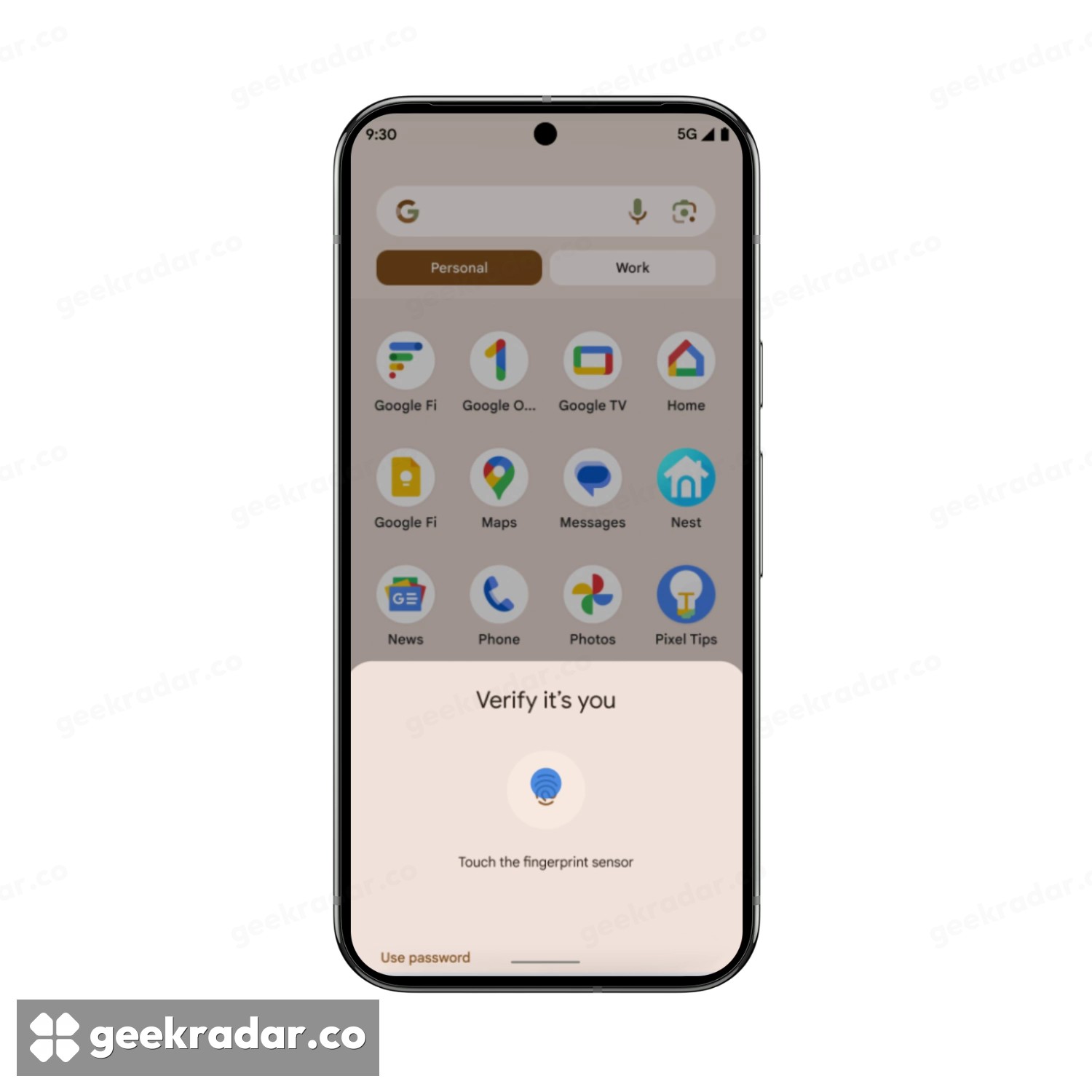
An unlocked phone can still ask who you are. Google has confirmed that Pixel owners running the Android 17 quarterly beta can put a second identity check on an individual app. Hand someone your phone to check a train time and they can use the timetable. Tap a protected messaging app on that same phone and Android asks for authentication again.
The November 18 confirmation concerns a beta. App Lock appeared in an earlier test, disappeared, and resurfaced in QPR3 Beta 3, a build Google dates to October 29. Google’s community manager attributed the earlier withdrawal to further testing and integration across the system, according to 9to5Google’s account of the announcement. A wider Pixel release is planned for the first quarter of 2027. That window gives stable-channel users a reason to look for it next year, without treating this week’s announcement as an update they missed.
What changes when someone taps the icon
In Droid Life’s walkthrough on the Pixel beta, a long press on an app icon brings up App lock. Choose Add app lock and confirm your identity. The app stays where it was. The next person who opens it needs a supported biometric or the phone’s PIN, pattern or password. Removing the lock from that same shortcut also requires authentication.
That last detail tells you whom the feature is for. Someone borrowing your already-unlocked phone gets a fresh prompt. Someone who knows its PIN already has a way through. There's no second account to maintain and no need to sign in again to a newly installed copy. For a messaging app with years of conversations in it, protecting the copy you already use is the attraction.
When a private space makes more sense
Android already offers a different arrangement on supported devices. In Google’s Private Space documentation, installing an app inside the space creates a separate instance. It leaves the original and its data in place. If you put a second copy of your mail app there, the first inbox on your home screen stays exactly as accessible as it was.
That pause matters if you depend on timely alerts. Google specifically advises against putting an app that needs continuous background activity in Private Space. A quieter inbox may be welcome. A monitoring app that stops working when you close the space is a much bigger tradeoff.
Samsung has also announced app locking in its One UI 9.5 beta. Its rollout has its own eligibility rules. If you're using a stable Pixel, Google’s beta terms are worth reading before enrolling just for this feature. Leaving a beta outside the documented stable-update window can wipe the phone. For the everyday act of passing someone a screen, waiting for the extra lock is a smaller inconvenience than restoring everything it was supposed to protect.