
GTA VI gas stations can fix minor damage. A red engine needs a different stop
The pump and engine icons can both turn red. Here’s how to read them, find an EV charger and choose between a quick repair and a trip to the workshop.
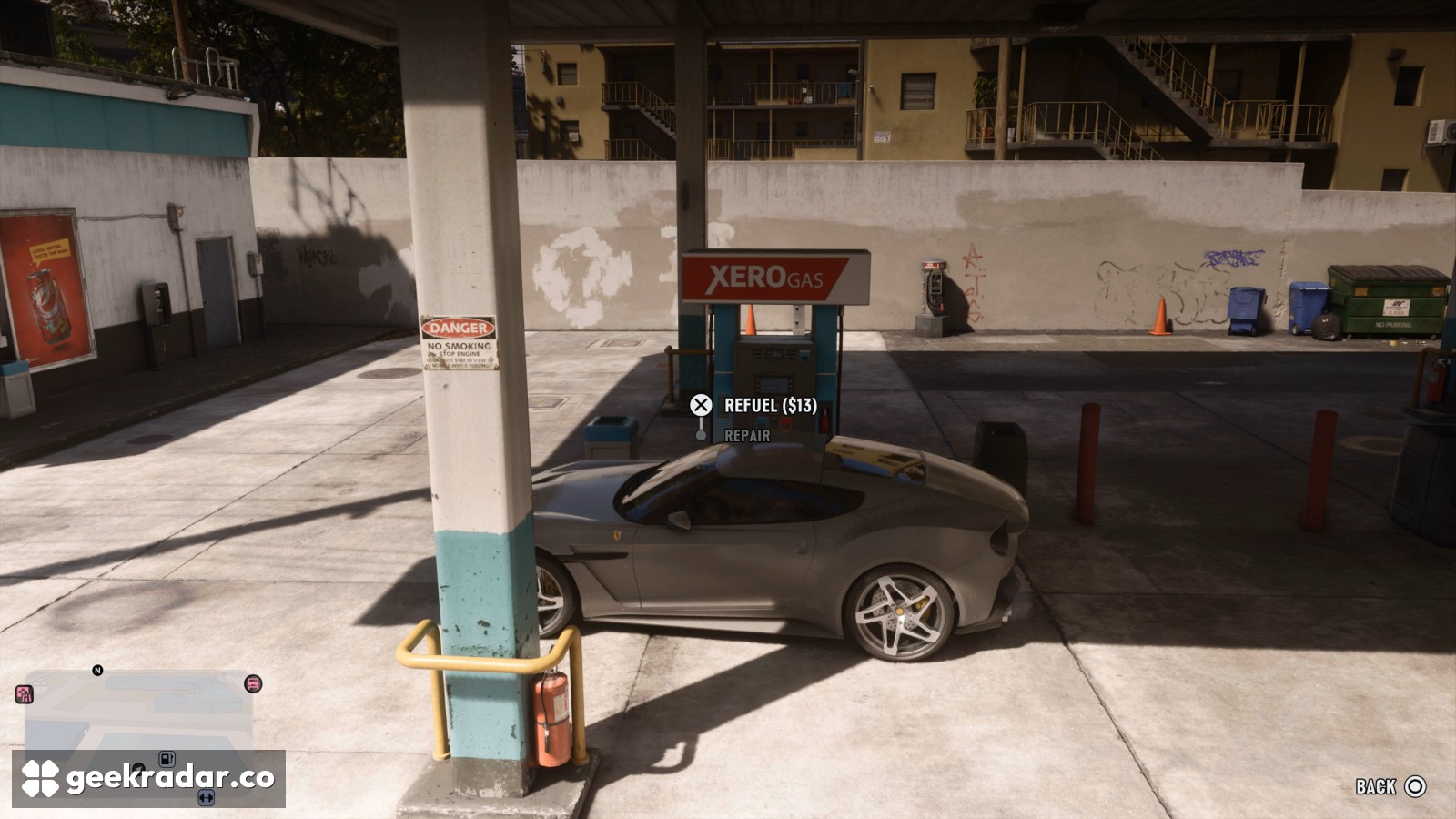
Pull up to a Xero Gas pump in Grand Theft Auto VI and the service menu offers two reasons to stop. One is Refuel. The other is Repair, handy after clipping a concrete divider on the way in. The pump can take care of minor damage. A critically damaged engine needs a Pay ’n’ Spray or a mod shop. Before routing to the nearest station, it pays to know which warning light came on.
While driving, press Down on the D-pad to bring up the vehicle readouts by the minimap. Look at the shape of the symbol. The little pump tells you how much fuel is left. The engine outline tells you what condition the car is in. Either one can turn red, but the sensible destination for one may be a wasted trip for the other.
What the station offers
A yellow fuel indicator means it’s time to look for a pump. When the fuel symbol turns red, the car is close to cutting out. Open the map’s Index → Vehicles → Gas Stations to see stations you’ve discovered, ordered by proximity. For an electric car, use the separate Electric Chargers entry. GamesRadar’s refuelling guide shows where to find both entries. If a station is across a divided road, put your GPS destination on its entrance to avoid being guided to the wrong side.
Pull alongside the pump until Services appears. Select Refuel, check the quoted price and follow the hold-button prompt while Jason or Lucia handles the nozzle. In PC Gamer’s launch-day screenshot, the fill costs $13 and Repair is listed underneath. That $13 is the quote for the car pictured. An electric charger has its own Charge Vehicle prompt and displays the charge cost before the battery fills.
When to drive past the pump
The game explains engine condition in Help → Vehicles → Engine Damage. The PS5 help screen reproduced by ViceManual distinguishes four states. A green engine is healthy. The next warning means moderate damage, a red engine means critical damage, and a cross over the red engine means it has already been destroyed.
GamesRadar’s repair walkthrough reports that a badly damaged engine starts losing speed. A low tank can bring a drive to an end too, so speed alone is a poor way to diagnose the problem. The next time a favourite car starts struggling on the highway, take a glance at the icon before choosing an exit. A red fuel pump calls for the nearest forecourt. A red engine is a reason to keep the workshop on your route.