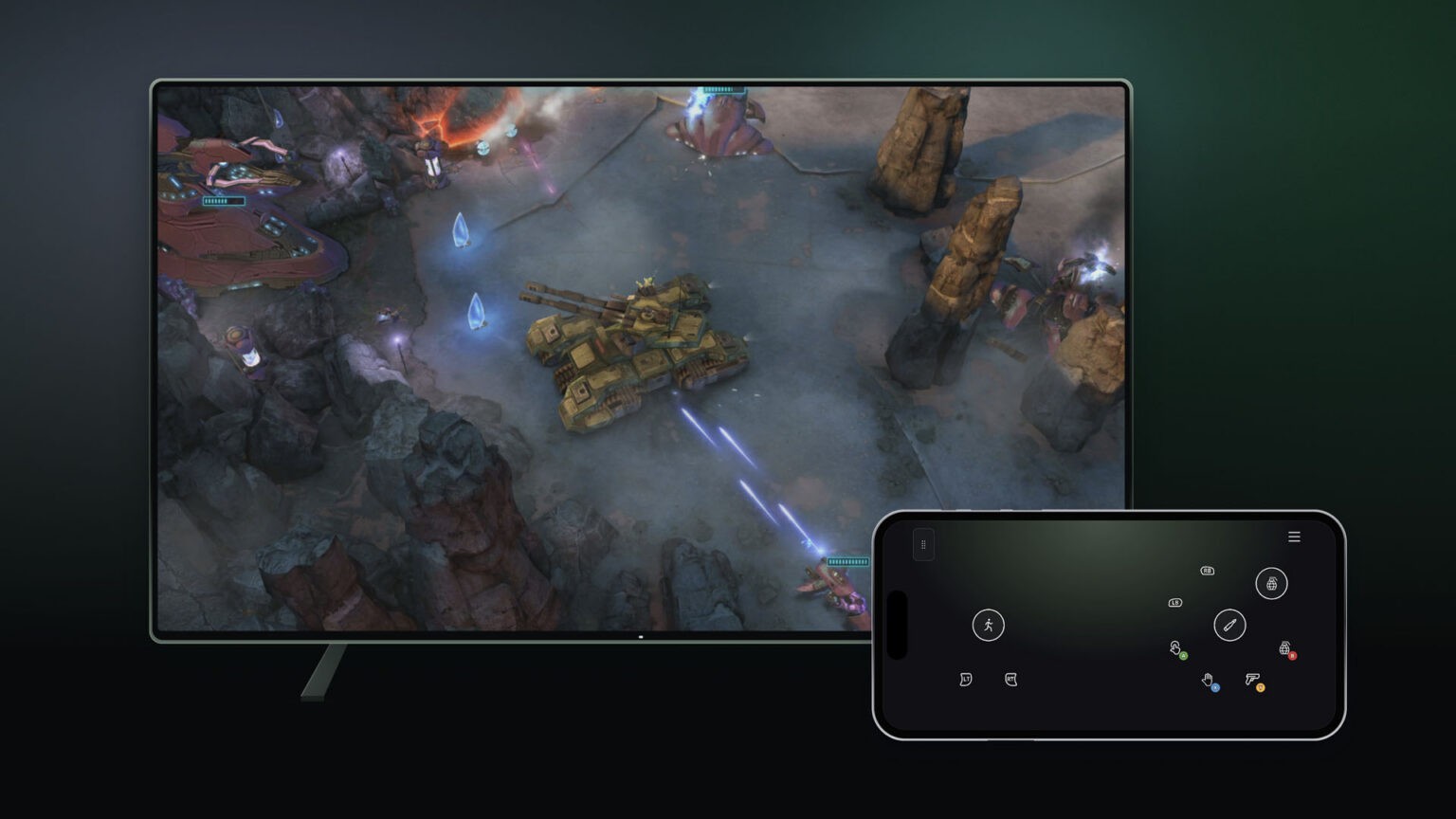
Xbox tests phone controllers and Nano’s direct Wi-Fi cloud connection
The phone preview lowers the equipment barrier on supported TVs; Nano’s US-only test changes the input path rather than the video stream.
Xbox is testing two ways to control a game streamed to a television, and they solve different problems. A phone can become a touch controller when no physical pad is available; the Xbox Wireless Controller Nano can connect directly to cloud servers over Wi-Fi. Both are previews in Microsoft’s November 4 announcement, with different geographical and setup restrictions.
The phone option reduces the equipment needed to start a session. The Nano option changes the route taken by controller input. Treating them as one general release would obscure the distinction most likely to determine whether either is useful on your television.
The phone supplies the controls, not the game screen
On a supported smart TV with the latest Xbox experience, the phone-controller preview is enabled through Settings, Account, then Preview Features. Launching a game without a physical controller presents a QR code. Scanning it opens controls in a supported Android or iOS browser, while the game remains on the TV.
Microsoft says some games have tailored touch controls. That matters because a generic set of virtual buttons and an interface designed around a particular game are not interchangeable. Touch controls also lack the physical reference points of a stick or trigger: the new route offers access, but the announcement supplies no evidence that it replaces a pad equally well in every genre.
The preview is rolling out in countries where Xbox Cloud Gaming is supported. It still requires a supported television experience and the relevant cloud-gaming access; owning a smartphone alone does not make an arbitrary TV compatible. The QR-code handoff is the practical sign that the television is offering this particular preview.
Nano changes the input path
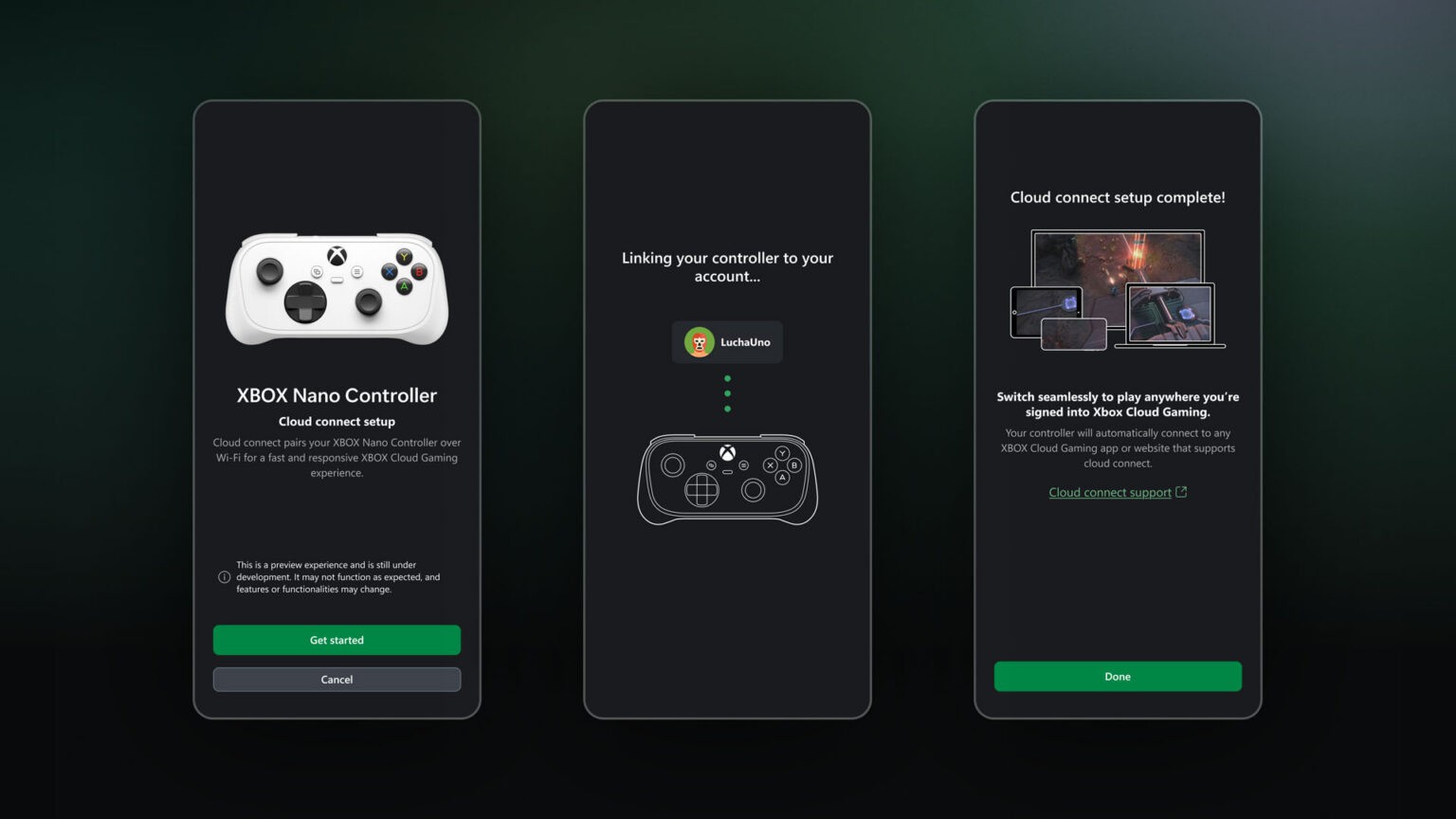
The Nano’s new cloud connection is initially US-only, with early testing on supported TVs and the web. Setup uses the Xbox beta app on Android or Xbox Accessories on PC; the PC route requires Xbox Insider participation. The controller must be associated with the same Xbox account used for play.
With a conventional Bluetooth connection, the television or other playback device receives the controller input and forwards it to the remote game. A direct Wi-Fi connection lets the controller send that input to the cloud service itself. Microsoft presents the shorter path as an opportunity to reduce input latency, but publishes no universal millisecond improvement in this announcement.
That qualification matters. A controller connection is only one part of the full delay between pressing a button and seeing the result. The remote game still processes the action, and the encoded video still has to travel back and be displayed. A direct controller link does not eliminate those stages or make a poor internet connection irrelevant.
The hardware announcement was only the beginning
Our earlier Nano coverage concerned the compact controller itself. This preview adds a software and service capability with its own eligibility rules. Buying the hardware and receiving access to the Wi-Fi cloud preview are consequently separate decisions.
For an occasional TV session, the phone route addresses the immediate obstacle of having no controller nearby. For someone already using a Nano, the cloud connection offers a different experiment: whether removing the playback device from the input path makes that particular setup feel more responsive. Microsoft has made both experiments possible; their value will depend on the screen, game and connection where people actually use them.