DLSS vs FSR: compare reconstruction, frame generation and actual support
Both names cover several rendering tools with different requirements. Separate image quality, rendered frames and displayed frames before judging the result.
DLSS and FSR are families of rendering tools, not two interchangeable switches for making a graphics card faster. Both names now cover techniques that can change resolution, reconstruct detail or add displayed frames. Comparing them starts with identifying the feature the game actually offers and the GPU allowed to use it.
That distinction can change a purchase. A card may support one part of a suite and miss another; a game may integrate an older version; a higher frame counter may describe smoother presentation without an equivalent improvement in response to the controller. There is no useful brand-wide winner without those details.
Rebuilding an image and adding a frame solve different problems
Super resolution starts from a lower-resolution render and reconstructs an image for the display. Temporal methods can use information from earlier frames as well as the current one. The attraction is straightforward: the game spends less of its rendering budget producing the starting image, leaving room for a higher output rate or more demanding effects.
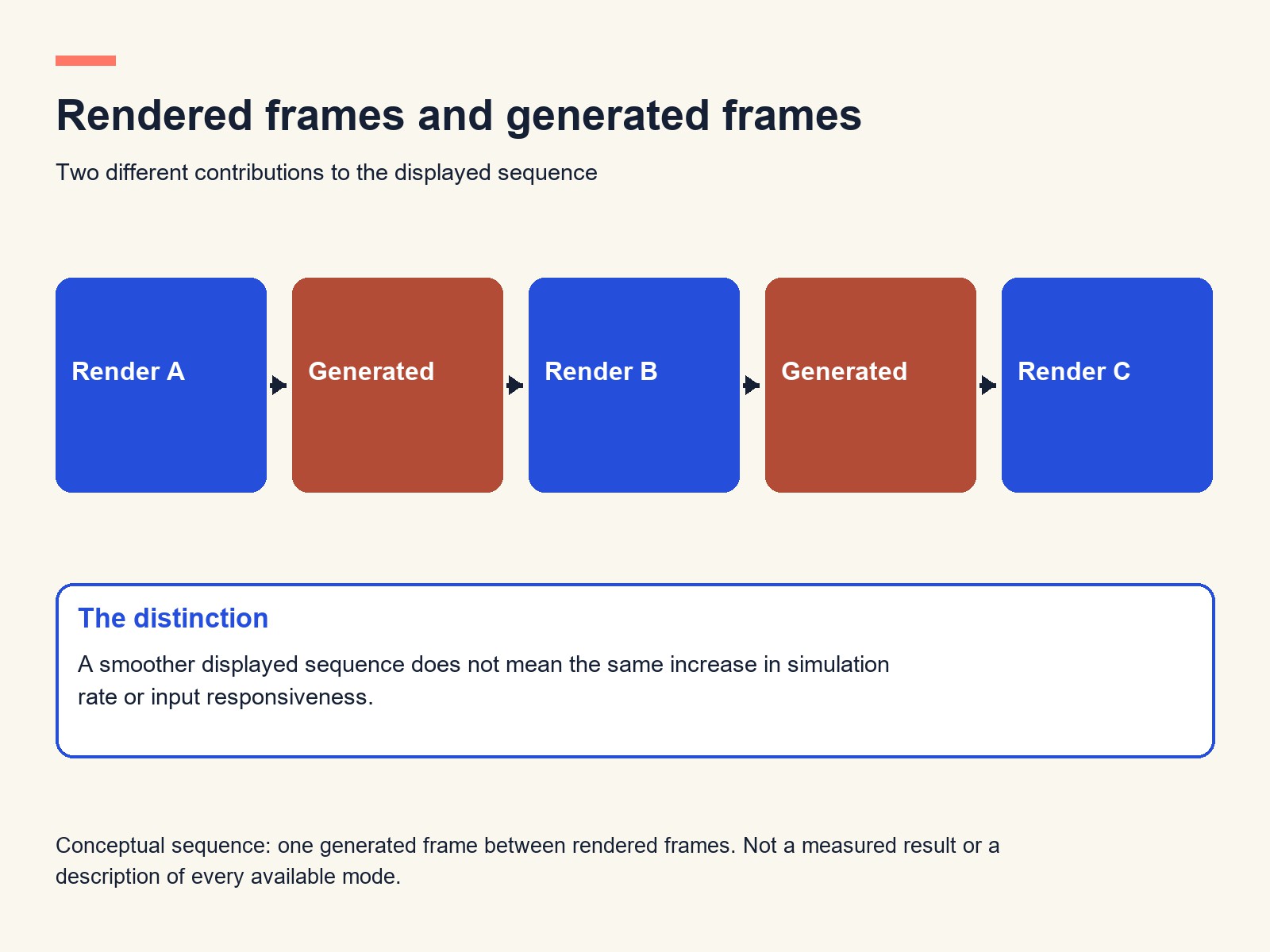
Frame generation adds images between rendered frames. It can make motion appear smoother, but those additional images do not each represent another complete game simulation with a fresh response to player input. A slow underlying game does not acquire the responsiveness of a much faster one simply because the display receives more pictures.
This matters especially when a comparison mixes settings. Native rendering on one card and upscaling plus frame generation on another can be a useful comparison of available experiences. It is not an isolated measurement of their rendering speed. Both results deserve their own labels.
Compatibility has become a moving boundary on both sides
NVIDIA's DLSS feature table separates support by RTX generation. Super Resolution and Ray Reconstruction reach across the listed RTX families, while frame generation and newer multi-frame features have narrower requirements. The presence of an RTX badge does not grant every DLSS feature.
AMD's FSR compatibility table likewise distinguishes its machine-learning features from older FSR paths. The current table gives different requirements for upscaling, frame generation and ray regeneration. The familiar description of FSR as a universally available alternative is therefore too broad for the whole modern family.
The practical comparison is a three-way intersection: GPU, game and feature. Check all three before paying for an upgrade. A newer graphics card cannot supply a game's missing integration, and a familiar menu label does not establish which implementation is underneath it.
| Decision | DLSS | FSR |
|---|---|---|
| Hardware fit | Check the specific RTX generation and feature | Check the specific FSR generation, GPU and feature |
| Game support | Requires a supported integration | Requires a supported integration |
| Reconstruction quality | Judge the implementation in motion | Judge the implementation in motion |
| Buying value | Count benefits in games actually played | Count benefits in games actually played |
Quality is a moving scene, not one sharp screenshot
An upscaler has to deal with newly revealed surfaces, fine geometry and objects moving differently from the background. A still image can show detail, but it cannot reveal how consistently that detail survives a camera pan. Likewise, a frame-generation comparison needs movement and interface elements, rather than only a paused landscape.
For a player, the useful trade-off is how much image stability must be surrendered to reach a comfortable performance level. A quality setting that works well on a high-resolution monitor may be less convincing when the starting image contains fewer pixels. Preset names are convenient labels, not a guarantee that two games are doing identical work.
Neither compatibility documentation nor an illustrative cover establishes visual superiority. An actual quality ranking needs the same game version, comparable settings, representative movement and disclosed hardware. Without that evidence, assigning either brand a universal quality crown would conceal more than it explains.
Our explanation of DLSS model speed versus whole-game performance makes a related distinction: speeding up one stage does not accelerate every other stage by the same amount.
Choose the setting before choosing a side
Owners of a compatible card should begin with the game's available options and the problem they need to solve. If the rendered rate is already comfortable, additional frames may improve presentation. If response is poor, first reduce the underlying rendering burden and assess the result without assuming frame generation will cure it.
For a new purchase, give weight to the tools available in the games that matter to you, then consider the cost of the card that supports them. DLSS and FSR can each be consequential advantages in a specific configuration. The winning feature is the one that improves the game you play, at settings you can accept, rather than the longest list on the box.