Auto SR leaves the dock: Xbox Ally gets handheld upscaling, with 120 fps support rolling out
Microsoft adds handheld operation and 1080p input now. Performance Mode and Auto HDR arrive separately through Windows updates.
Microsoft's Automatic Super Resolution has left preview on ROG Xbox Ally X and Xbox Ally X20, and the most useful change is freedom from the dock. Supported handhelds can now use Auto SR on their built-in screen while running on battery. Support for 1080p input and selected AMD Ryzen Copilot+ PCs also arrives with the release.
The November 10 announcement includes a second group of changes that needs a more careful reading: Performance Mode, supporting up to 120 frames per second, and compatibility with Auto HDR are rolling out through Windows updates. The announcement does not mean every supported machine already has every switch.
Why leaving the dock matters
Auto SR operates in Windows' display pipeline, using a supported neural processing unit to enhance a game's output. Its attraction is that it can work independently of a game's own upscaling integration. That makes it a different route from a developer building a particular reconstruction technology into the game, although compatibility still has limits.
During the Xbox Insider preview, the feature on these handhelds required docked use. That restricted its usefulness precisely where a portable machine has the tightest balance between image quality and performance: its own display, away from a power socket. Removing the restriction makes Auto SR an option for an ordinary handheld session, rather than a feature that depends on a desktop-like setup.
There is no universal battery-life promise in this announcement. A game, graphics settings and the device's operating mode still determine the result. Being allowed to run on battery establishes availability; it does not establish how many extra minutes a player will get.
What the Rocket League demonstration proves
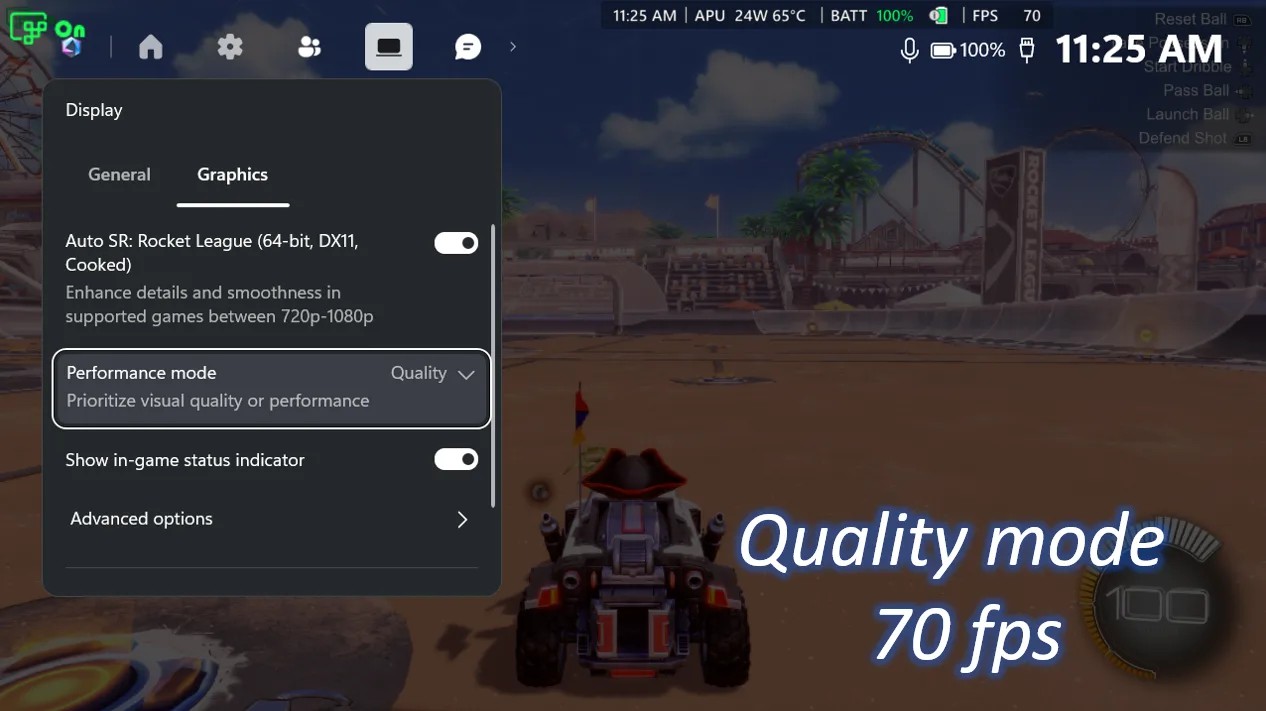
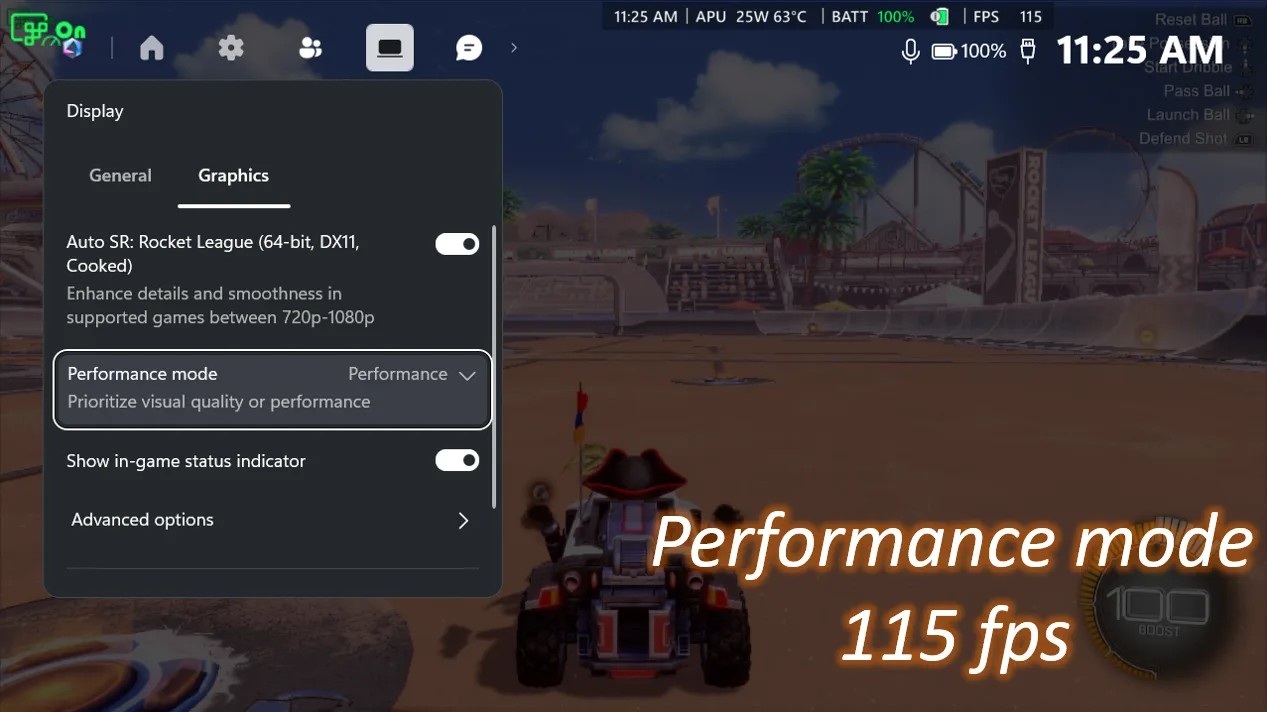
Microsoft illustrates the modes with Rocket League on a ROG Xbox Ally X at 720p and high graphics settings. Its captures show an average of 70 fps in Quality Mode and 115 fps in Performance Mode. These are Microsoft's demonstration results, with specific settings, rather than independent measurements or a prediction for every game.
The important distinction is between a higher supported ceiling and a guaranteed output. A mode that permits 120 fps cannot force a demanding game to produce 120 fps. It gives the system another balance between reconstruction quality and throughput; the game's workload remains part of the equation.
The two captures are useful evidence for that bounded claim. They do not establish how motion artifacts, fine detail or responsiveness compare across an entire library. Our explanation of Steam Deck's new performance charts addresses a related reading problem: averages need the conditions behind them. Here, the mode's higher ceiling still needs to be judged against the picture in front of you.
Check the active state, not just the toggle
Microsoft's support guide specifies updated Windows 11, compatible hardware and drivers, and supported DirectX games. It excludes x86 games and alternative graphics runtimes such as Vulkan and OpenGL. Auto SR is an opt-in feature on current supported devices; the Game Bar Display widget shows whether it is actually active for the running game.
That status matters. An enabled preference may still need a compatible resolution or display mode before it takes effect. The same guide distinguishes Auto HDR from native HDR: allowing Auto SR alongside Windows' Auto HDR conversion does not mean that games rendering native HDR are now supported by Auto SR.
The new 1080p support reduces another setup hurdle, particularly when a game defaults to the handheld's screen resolution. Microsoft nevertheless warns that 1080p input on the internal display may perform less optimally than other configurations. On the ROG Xbox Ally X, the useful improvement is therefore a wider set of choices, not a single setting that wins everywhere. Start with the active-state indicator, then judge the result in the game you actually play.