Snap’s Easy Lens CLI brings Snapchat effects and web games into your code editor
Developers can build and preview Lenses with tools such as Claude Code and Cursor. A web game can keep a leaderboard in Snapchat, but the beta cannot use the phone’s camera.
Snap has opened another route for making Snapchat Lenses. Its new Easy Lens CLI lets developers use a coding assistant such as Claude Code or Cursor to build an effect, render a preview and send it to a phone. The interesting choice comes before the first prompt: a Lens that puts a hat on someone’s head and a Lens that runs a browser game have quite different access to that phone. Snap’s Easy Lens CLI · TechCrunch’s November 18 launch report
Previously, Easy Lens offered a place on the web or on mobile to describe an effect. The command-line interface brings that work into the developer’s own project. Snap’s launch page includes playable examples such as Pixel Catch and Block Hop. Its workflow includes previewing revisions on a device, publishing to Snapchat and checking how a Lens performs. A developer who already uses Cursor to review changes in an editor can keep working there while trying the result on the screen where people will play it.
A game inside Snapchat has different rules from a camera effect
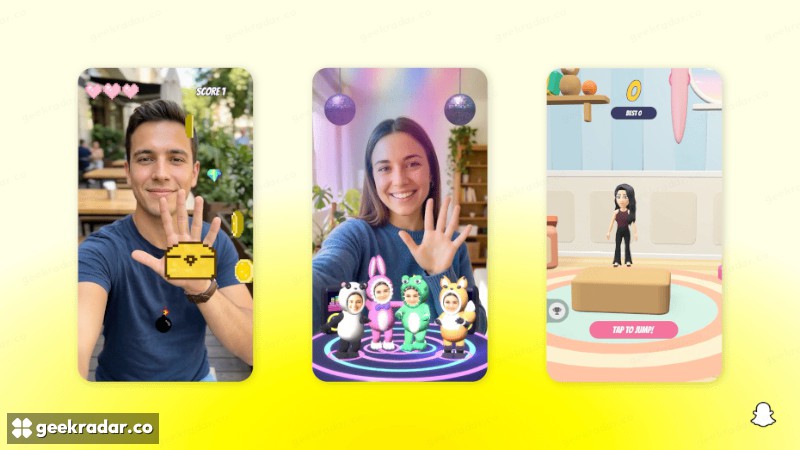
Consider a small web game in which a player taps to jump and tries to beat yesterday’s score. Snap’s Web Lenses, currently in beta, can run that sort of project inside Snapchat. Games are the first supported use. A developer can package an existing web build, add an icon and a preview video, and submit it through My Lenses. Players open the published game in the same places they find other Lenses. Snap’s Web Lenses documentation
Two ordinary browser-game assumptions break on arrival. A Web Lens cannot contact the game studio’s server to fetch its leaderboard, and its browser storage starts empty each time it launches. Snap exposes its own APIs for leaderboards and storage that lasts between sessions. In the jumping game, that determines whether a player returning tomorrow can see the score they set today. A useful phone test is to finish a round, close the Lens and launch it again.
The same beta has no access to the camera, microphone or motion sensors. If the idea is to make a character jump when the player nods, choosing a camera effect changes what is possible. Asking the assistant to rewrite the web game’s input code cannot give that game permission to see a face.
Publishing and earning are separate decisions
Snap lets approved Lens+ creators mark selected Lenses exclusive and receive a share based on engagement from Lens+ and Platinum subscribers. Its requirements include a public Lens, a valid preview video and permission for any music used. Publishing a Lens through the CLI still leaves the program’s application and moderation steps in place. Snap’s Lens+ payout rules
For a creator with a playable prototype, the next decision is concrete. A tap-to-jump game can travel from a browser to Snapchat if the scoring and storage travel with it. If the fun is in watching a player raise an eyebrow and seeing the game respond, start with the camera.