
GTA VI requires a PS5 system update, even if the game is already downloaded
Sony says players must update the console before playing. Firmware 14.23 is separate from GTA VI’s patches, and its release notes promise security fixes—not new graphics features.
In this guide
GTA VI can be downloaded and still leave one essential launch-day job unfinished: updating the PS5 itself. PlayStation Support says a system software update is required before playing, and asks players to install it before the November 19 launch. Sony’s current firmware is 26.07-14.23.00.
That is a separate requirement from the game’s preload and its own patches. If you have been checking the GTA VI download tile, check the console’s System settings too. An installed game update does not establish that the operating system underneath it is current.
The notice matters most for players who prepared their console early and reasonably assumed the waiting was over. A finished download bar answers whether those files have arrived. It does not answer every question about whether the console is ready to run them.
What Sony confirms—and what it leaves unexplained
The latest official release notes describe security fixes for 14.23.00. They do not identify the vulnerability being addressed, explain GTA VI’s dependency on this version, or promise a performance improvement in Rockstar’s game.
Push Square’s report connects the requirement with the new firmware and discusses the wider contest between Sony and console hackers. That provides context, but Sony’s brief changelog does not establish which exploit, if any, this particular release closes. Installing it should not be sold to players as a new graphics mode or an extra frame-rate option.
There is another easy source of confusion on Sony’s page: previous updates appear below the current one. Features described under older version numbers are not newly introduced by 14.23.00. Read the heading above a change, rather than treating the entire page as one patch announcement.
Our coverage of the reported prelaunch game patch concerns the second of those checks. The new Sony notice adds a reason to complete the first.
Check the console before the countdown ends
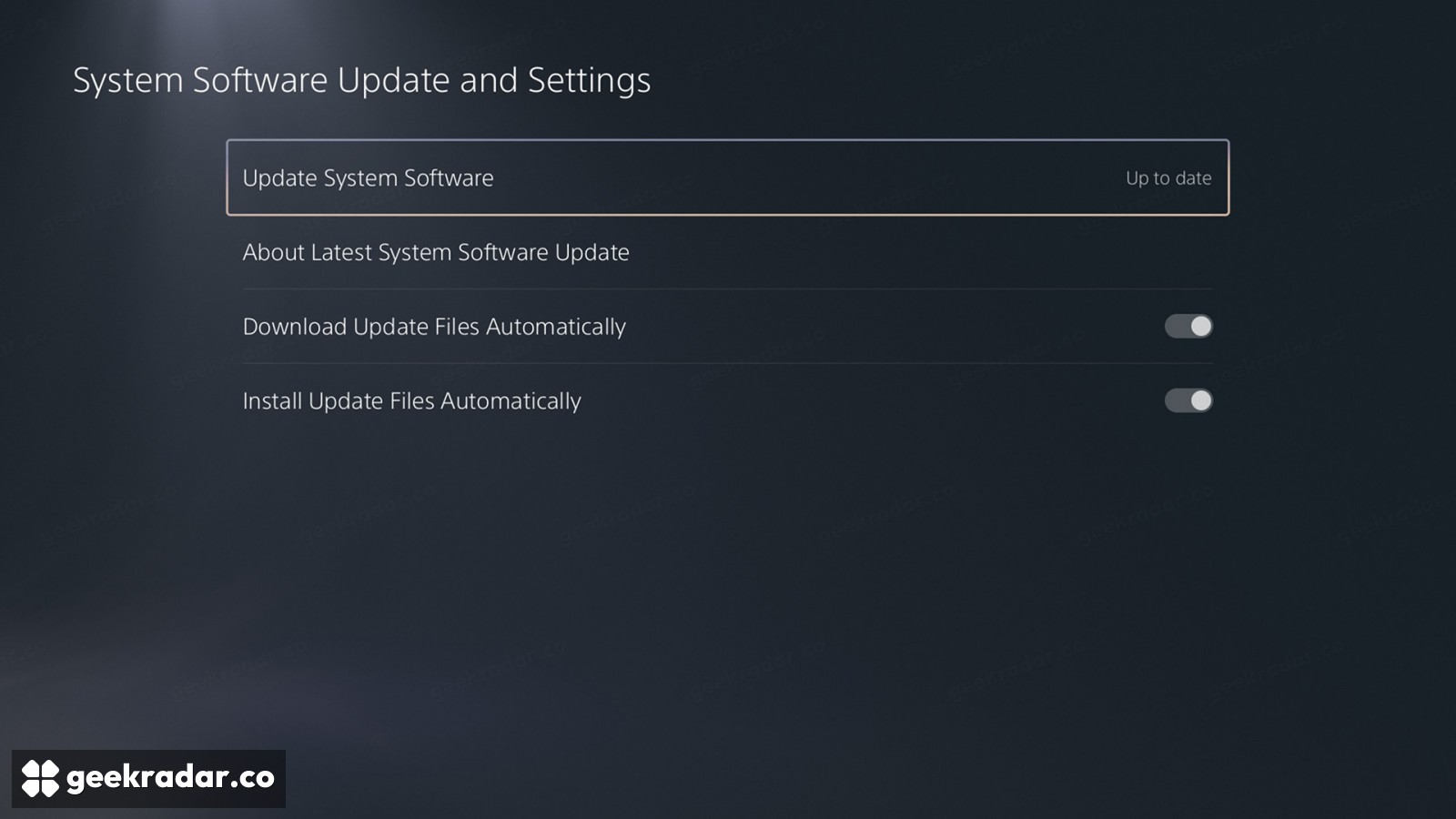
Sony’s system update guide gives the manual route: Settings → System → System Software → System Software Update and Settings. If a newer version is available, select Update System Software and follow the console’s instructions.
The same screen separates automatic downloading from automatic installation. Sony’s GTA VI preparation page recommends enabling both. Those switches are useful for subsequent updates, but checking the current state directly is more informative than assuming an unattended console has completed everything.
Sony lists the game’s PS5 release as midnight local time on November 19. The firmware does not move that unlock time forward: it removes a preparation task that could otherwise be waiting when the countdown finishes. Allow time for the installation and any restart requested by the console; do not interrupt the update to try the game sooner.
A failed update is not a reason to erase the console
If the system download stalls, Sony directs users to Downloads/Uploads in the control center, then the affected update’s View Error Info and Try Again options. Its support guide also provides an official USB update procedure for repeated download failures.
Pay attention to the distinction between updating and reinstalling system software. Sony warns that reinstalling deletes all data on the console. It is not a routine shortcut for a launch-day firmware prompt, and a game that has not unlocked yet is not evidence that a factory reset is needed.
If the problem concerns the GTA VI download itself, our PS5 download troubleshooting guide addresses that different path. Identify which component is asking for attention before repeating a large download or changing an unrelated setting.
The useful preparation tonight is specific: finish the console update, confirm the game download separately, and leave the release clock to do its job. A short visit to System settings now is preferable to discovering another installation between the countdown reaching zero and the first trip into Leonida.