SmoovPlay promises smoother GTA VI streams. Its demo needs a closer look
The free tool generates intermediate frames on a PC. Its GTA VI example uses prerecorded footage, while the documented live PS5 test is Gotham Knights.
In this guide
SmoovPlay has attracted attention for promising smoother GTA VI footage on a PC, but the evidence supports a narrower claim than a faster version of the game. The free Windows application generates extra pictures from a console video stream. It does not unlock a new performance mode on PS5, and its published GTA VI comparison uses prerecorded Rockstar footage, not a demonstrated live session of the finished game.
That distinction matters for anyone considering this as an answer to GTA VI’s console frame rate. Notebookcheck’s November 17 report brought attention to the tool and its latency cost. SmoovPlay’s own documentation is more useful than an output frame counter for deciding what the proposal actually offers.
What the demonstration establishes
The project’s repository identifies its GTA VI material as Rockstar’s An Extended Look, processed as a simulated Remote Play stream. This can illustrate what interpolation does to those pictures. It cannot establish the responsiveness of controlling GTA VI through the application, because there is no live player input to assess in prerecorded footage.
There is a separate live-play demonstration. On its comparison page, the developer describes Gotham Knights running on a real PS5, streamed to a PC with an RTX 4070 Ti SUPER: a 1080p, 30fps input becomes a 90fps output. The page reports approximately 35ms of additional delay. These are developer-provided results for that setup, not GeekRadar measurements or a GTA VI benchmark.
Keeping the two examples separate makes the evidence considerably easier to interpret. One applies the technique to the game everyone is discussing; the other demonstrates a working console-to-PC path with a different game. Neither should be quietly substituted for the other.
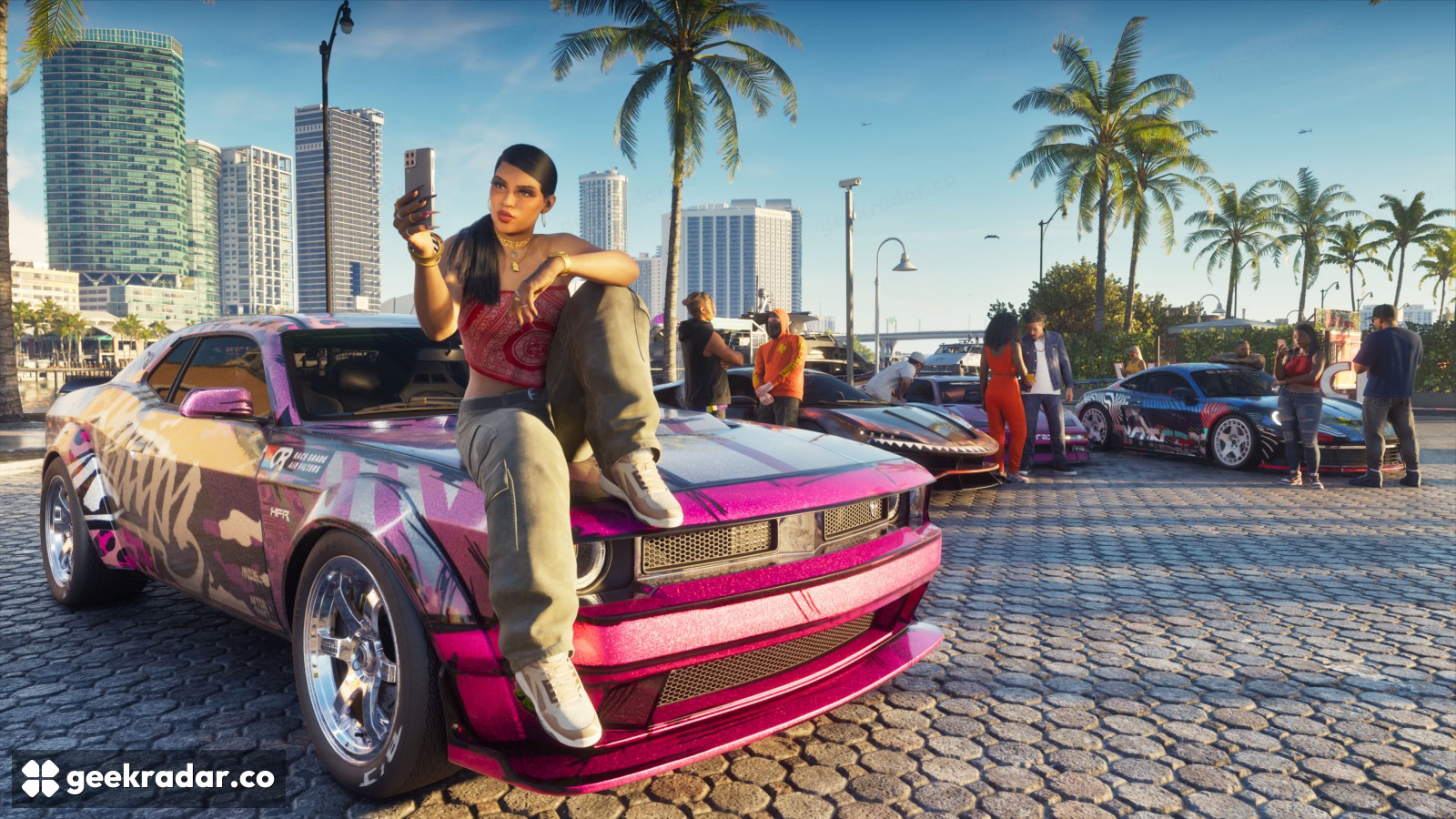
More pictures, the same underlying game
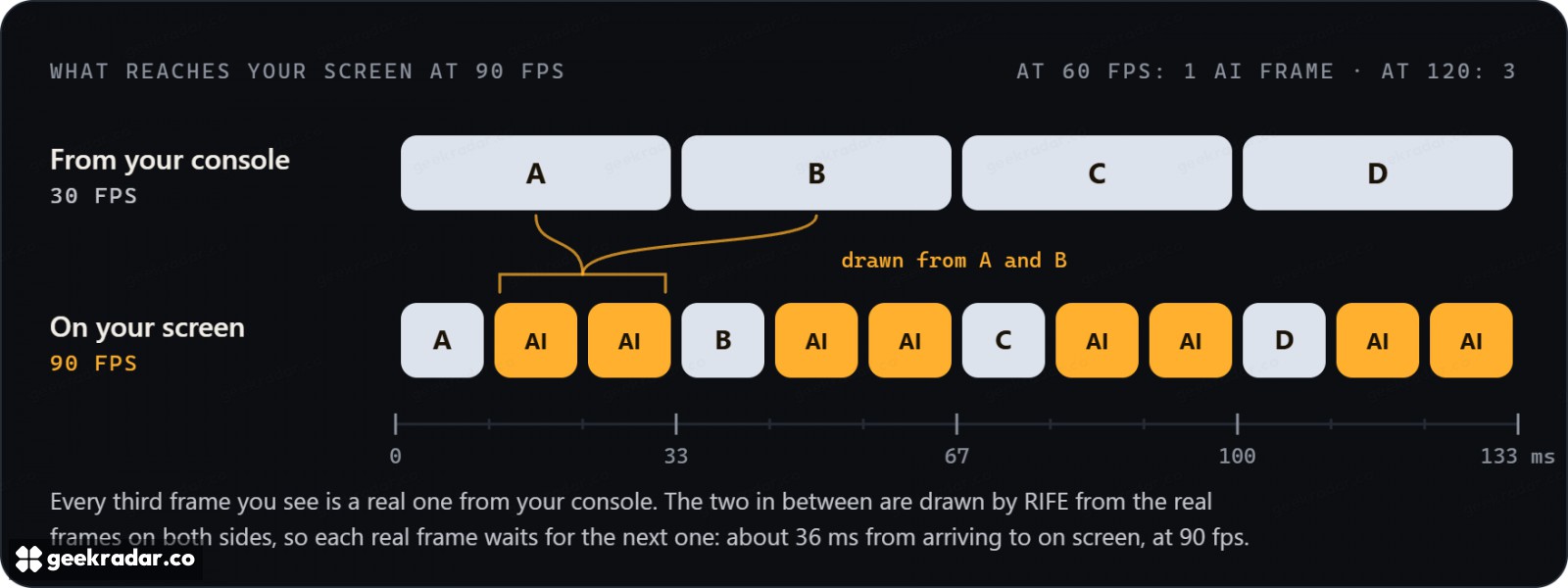
SmoovPlay uses the chiaki-ng Remote Play client to receive the PS5 stream and send controller input back. On the PC, RIFE frame interpolation estimates intermediate images between the originals. A 30fps source can therefore supply a display with 60, 90 or up to 120 pictures per second, subject to the system’s capabilities.
Consider a car moving across the screen. Interpolation can estimate where its outline belongs between two received pictures, reducing the visible jump between positions. It cannot make the console respond to a steering input before that input reaches the game. Nor does drawing an intermediate car create a new simulation update on PS5. The display can become smoother while the interaction remains constrained by the original game and streaming chain.
This is why the distinction in our guide to GTA VI through Remote Play still applies: the PC is handling the presentation of a console game. It is not running a native PC edition. Adding interpolation changes that presentation further, without changing where the game itself executes.
The cost is larger than a frame counter suggests
The developer’s overview estimates about 20ms of extra delay at 60fps output and 36ms at 90fps, on top of Remote Play’s own delay. Those numbers must not be presented as total controller-to-screen latency. Console processing, transport, decoding and the display remain part of the experience.
There is also an image-quality tradeoff. The documented path starts with a 1080p stream and offers FSR 1 or RTX Video Super Resolution scaling. Increasing the output dimensions does not make it equivalent to receiving the console’s direct HDMI picture. Compression and missing source detail still matter, particularly on a large monitor.
Generated intermediate images have their own difficult cases. A fast camera turn reveals surfaces that were previously hidden; an interface label can cross a moving background. Estimating these transitions from completed pictures is a different job from rendering the scene with access to its underlying geometry. The repository acknowledges potential artifacts around fast motion and interface elements. A higher output counter alone cannot tell a player whether those compromises are acceptable.
Treat the hardware list as a testing boundary
The project targets RTX 30, 40 and 50 series cards, but identifies the RTX 4070 Ti SUPER as its tested GPU. Xbox window capture, capture-card input and Radeon or Intel Arc operation are marked experimental; the documentation describes stand-in tests rather than verification on the relevant real hardware. Those qualifications make a material difference to a purchasing decision.
For someone who already owns a suitable PC and PS5, the idea offers a specific possibility: a smoother streamed image, purchased with additional processing and delay. It is much weaker grounds for buying hardware specifically to obtain “60fps GTA VI.” Until live GTA VI evidence covers controls as well as moving pictures, the useful promise is improved presentation—not a faster game underneath it.