
GTA VI has another reported prelaunch patch: check the game, not just the preload
A new build is being reported on PS5 and Xbox. Download sizes identify the transfer, while a detailed official changelog remains unavailable.
In this guide
GTA VI has another reported prelaunch download, so a completed preload is worth checking again. RockstarINTEL’s November 16 report identifies a second update for PS5 and Xbox Series X|S, with different version numbers and download sizes on the two console families.
The useful action is straightforward: let the console check the installed game and complete any offered update. The available report does not provide a detailed official changelog, so the file cannot responsibly be presented as a confirmed frame-rate improvement, graphics upgrade or list of repaired missions.
What the reported numbers mean
RockstarINTEL lists roughly 602.5MB on PS5 and 1.59GB on Xbox, with some regional variation, and identifies builds 1.002.001 and 1.0.2.1 respectively. These are reported download measurements, not a comparison of how much work Rockstar performed on each version.
A patch’s transfer size and the game’s total installation are different quantities. Downloading another gigabyte does not necessarily add exactly that amount to the final footprint: files may replace existing data, and packaging can differ between platforms. Neither console’s smaller download establishes better optimization.
The report also describes a phased PS5 rollout, expected to reach its final group on November 17. That was a rollout timetable, not a guarantee about the current state of an individual console. Check what your own system offers now rather than trying to match an old social-media screenshot of the update queue.
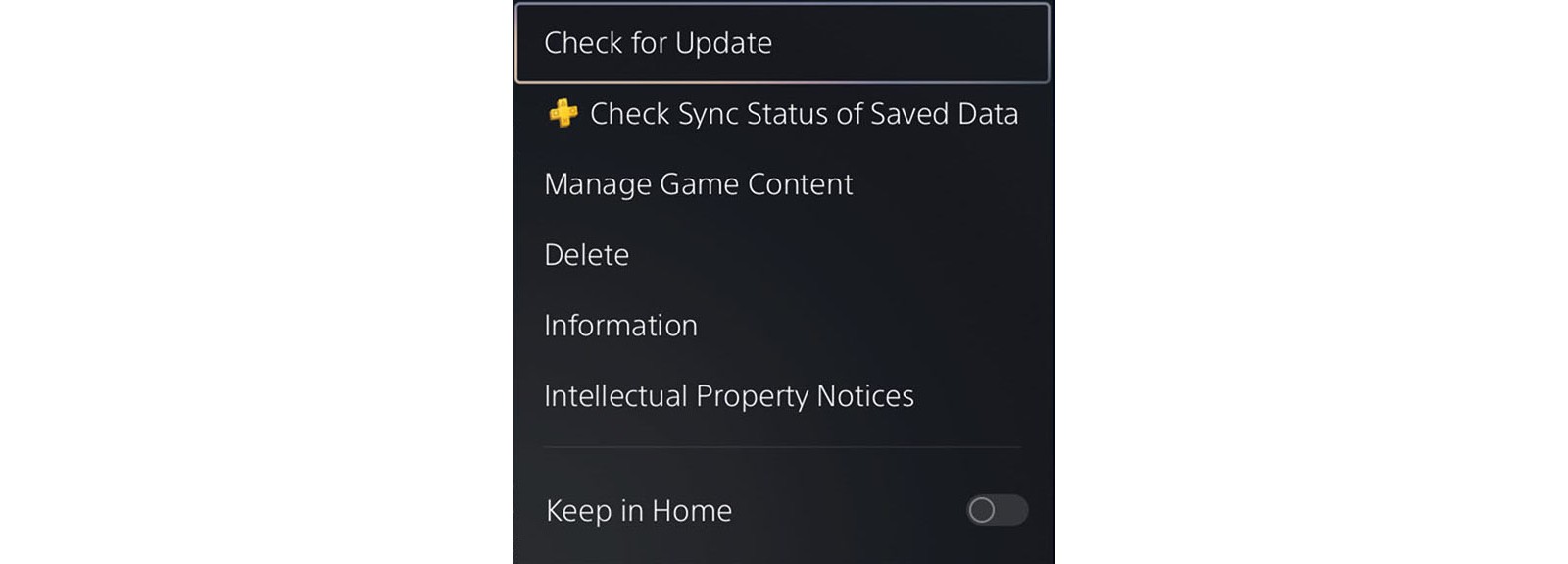
Check the game, not only the system software
Sony’s application-update instructions put the manual check on the game’s home-screen tile: press Options and choose Check for Update. System software has its own update path. A fully updated PS5 can still have a game download waiting to finish.
That distinction is especially helpful during a large preload. There are separate questions about whether the base files finished downloading, whether the game has a newer application build, and whether its release entitlement has unlocked. One green check does not answer all three.
If an update fails, preserve the error information and use the platform’s relevant support steps. Deleting a completed installation merely because somebody else received a patch earlier can create much more downloading without addressing the cause. Our PS5 download troubleshooting guide covers stalled transfers separately.
Preparation buys back the first session
The November 16 report calls this a required update, but does not establish that it will be the final download before launch. Avoid budgeting the first evening around that assumption. Another small application update remains different from downloading the full game again.
For a household sharing a connection, a manual check before the planned session is more useful than debating patch size. Complete the work the console actually requests, then leave the performance conclusions to evidence from the finished build. The reward is modest and concrete: the first available hour can be spent playing rather than discovering another progress bar.