Keychron’s T1 HE moves the trackball to fit your thumb, a few millimetres at a time
Three-axis adjustment and configurable click travel make the new mouse more adaptable, without proving universal comfort.
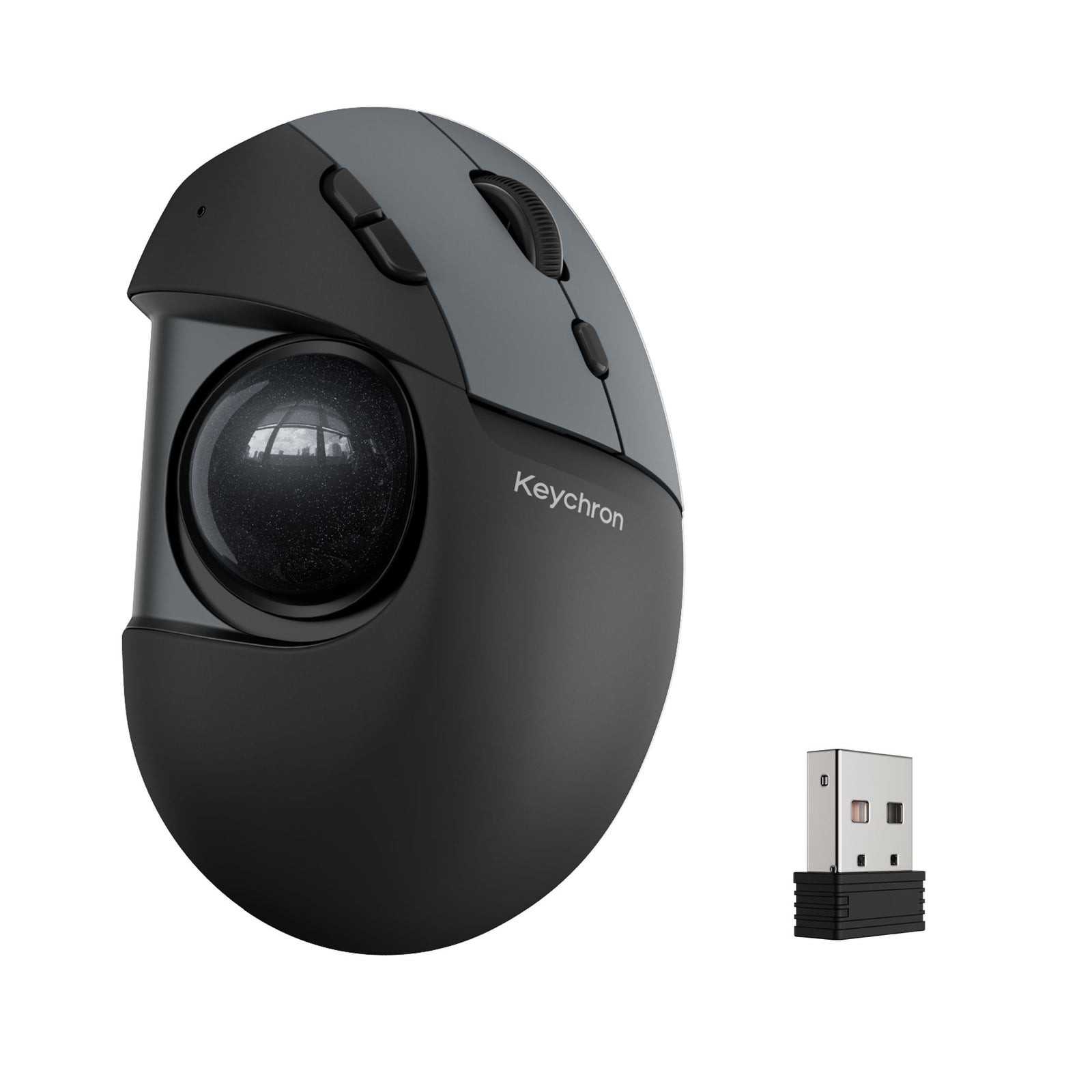
Keychron’s T1 HE makes the trackball move before you start moving the cursor. Screws underneath the mouse let its 34 mm ball shift along three axes, so the thumb control can sit closer to a particular hand’s resting position. The $59.99 preorder is estimated to ship in early December; its most interesting feature is adjustment measured in millimetres, not a claim to make everyone comfortable.
The official product specification describes a right-handed trackball with six configurable buttons, Bluetooth, a 2.4 GHz receiver and USB-C wired operation. The body stays on the desk while the thumb rolls the ball. That changes the space required to navigate, but it also moves more of the repetitive work to the thumb.
Three axes, one hand
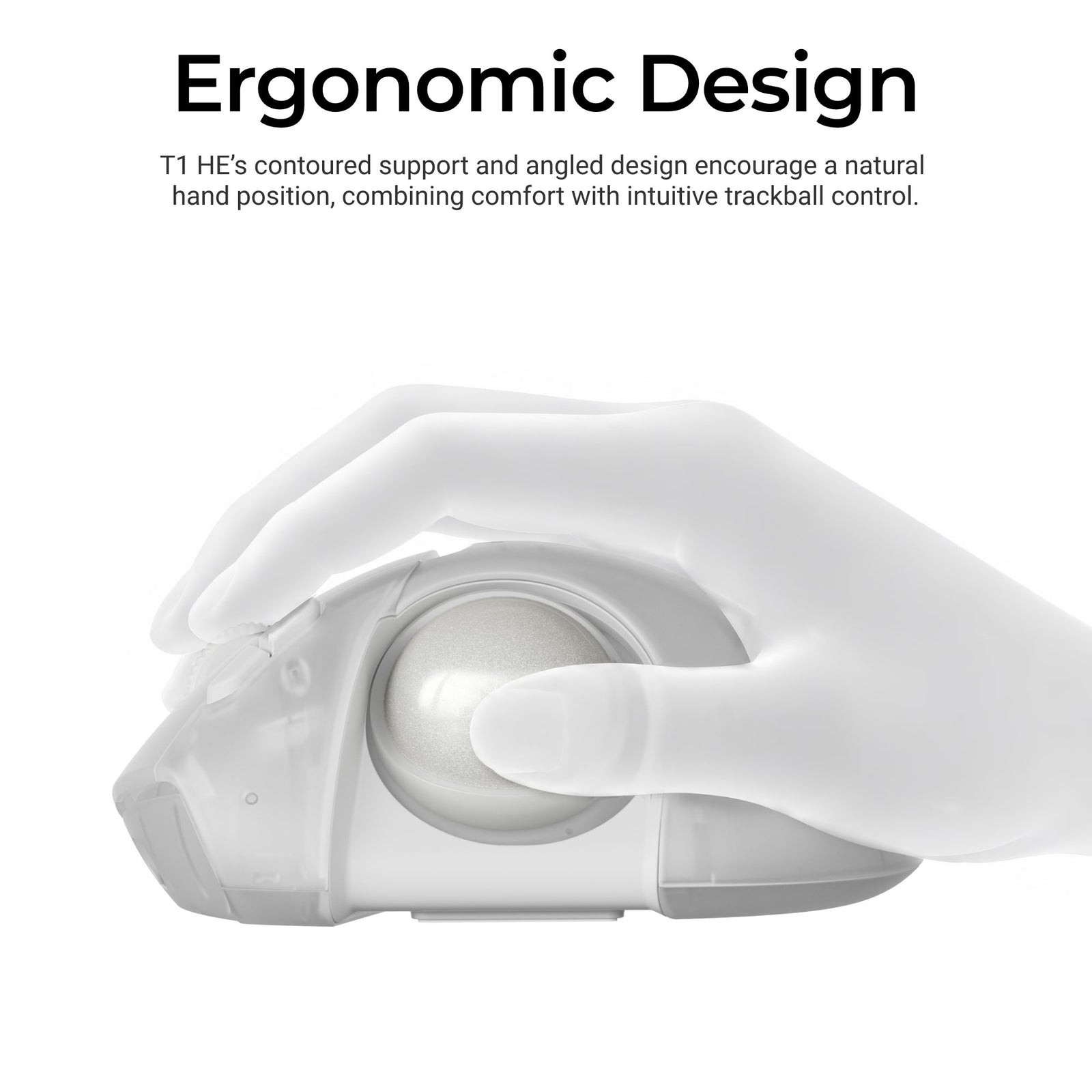
The adjustment ranges are modest: roughly 3–3.5 mm in the horizontal directions and 2–2.5 mm vertically. Their purpose is to change reach, rather than transform the shape of the entire mouse. A ball placed slightly too far away can require a different thumb posture every time the user changes direction.
The useful question is whether those millimetres let a person operate the control without stretching. That cannot be answered from the adjustment range alone. Hand size, preferred grip, button reach and the desk arrangement all remain relevant. Keychron’s comfort language is a design claim, not a medical result or a guarantee against strain.
The fixed body also suits crowded surfaces where moving a conventional mouse is awkward. It does not remove the learning period: cursor speed and fine control now depend on rolling a ball rather than translating the whole hand. Someone considering the T1 HE should treat that change as part of the purchase, not a minor variation on an ordinary mouse.
The click mechanism gets its own settings
Keychron uses MagOptic switches for the main buttons. Its magnetic mode offers 12 actuation steps, with Rapid Trigger resetting as the button is released. The practical idea is to choose how far a press travels before registering, separately from how the pointer moves.
That can matter in repetitive work, but it creates another setting to tune. A shallow actuation point may reduce movement while also making unintended presses easier for some users. The sensible goal is predictable clicks, rather than selecting the shortest available travel because it sounds faster.
These are manufacturer figures. The two battery estimates use different connection modes and polling rates, so they should not be read as a controlled comparison of radio efficiency. Wired use also keeps the mouse available while it charges.
Maintenance is part of the design
The removable ball gives access for cleaning, which matters because debris can change how a trackball feels. The product also supports browser-based configuration through Keychron Launcher, including button remapping, pointer sensitivity and click settings. Keychron specifies a cable or receiver connection and a supported Chromium browser for that configuration path.
Its specifications contain a detail worth noticing before assuming the button exposes every sensitivity setting: the hardware DPI button cycles presets up to 1,200 DPI, while Launcher can reach 2,400. The maximum on the box and the maximum available through a particular control are not always the same thing.
The T1 HE is an unusually adjustable entry in a category built around keeping the hand still. Its appeal rests on the relationship between ball position, thumb movement and button response. If those controls make everyday pointing more predictable, a few millimetres will have done more useful work than another spectacular sensitivity number.