Prepare PS5 captures for GTA VI: save the moment, then decide what to share
The console’s tools can preserve recent gameplay without an in-game photo mode. App limits and audio settings deserve a check first.
In this guide
You do not need an announced GTA VI photo mode to save a memorable view on PS5. The console already has its own screenshot and video tools. What matters before launch is choosing the right capture method, deciding whether voices belong in the recording and understanding that an upload to an app is not a permanent archive.
This is a guide to PlayStation 5 features you can prepare for Grand Theft Auto VI, not a claim about an unannounced camera system inside the game. A console screenshot preserves the picture you are currently seeing; it does not automatically provide free-camera movement, character posing or removal of the game’s interface.
Save the moment that just happened
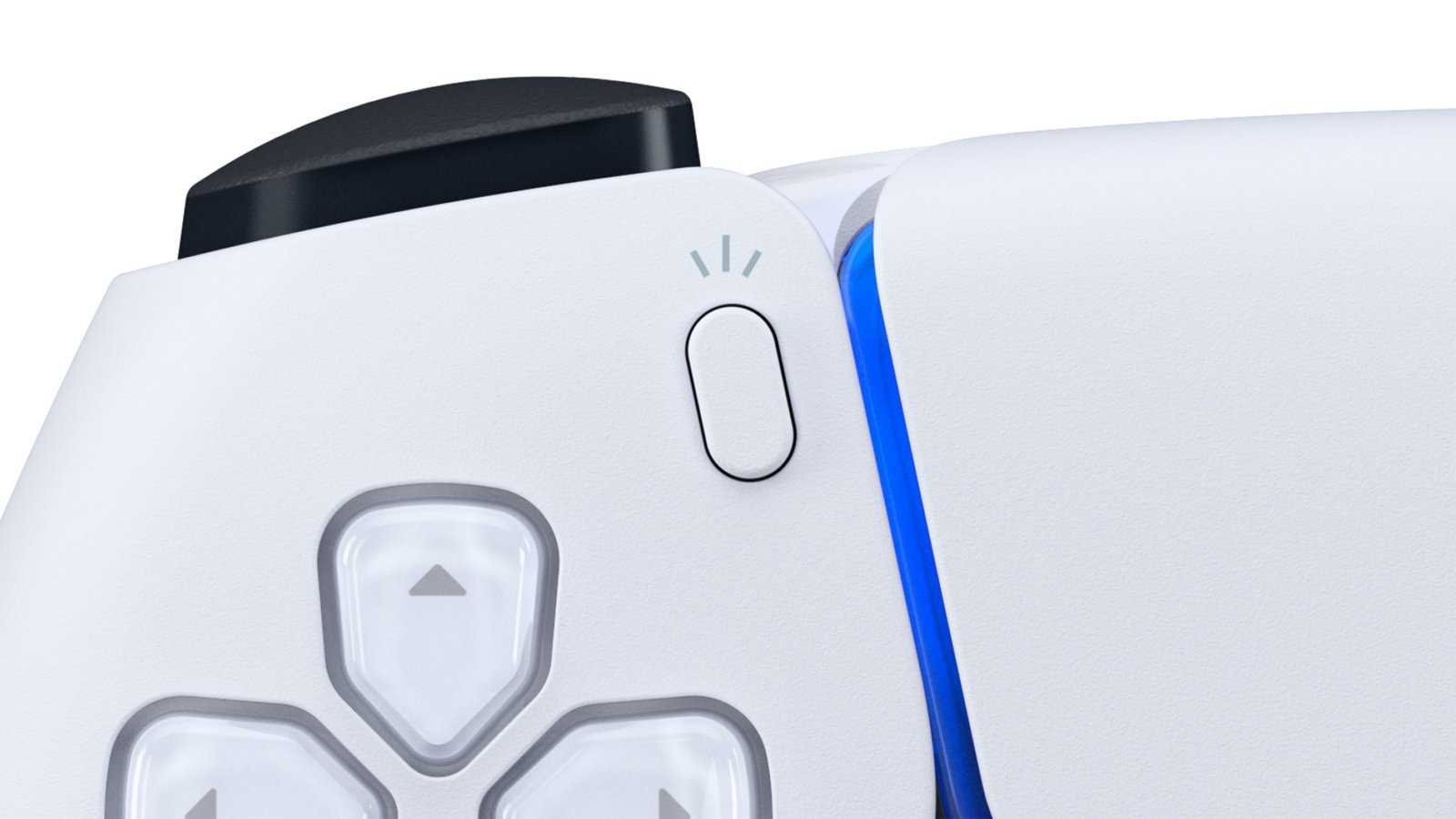
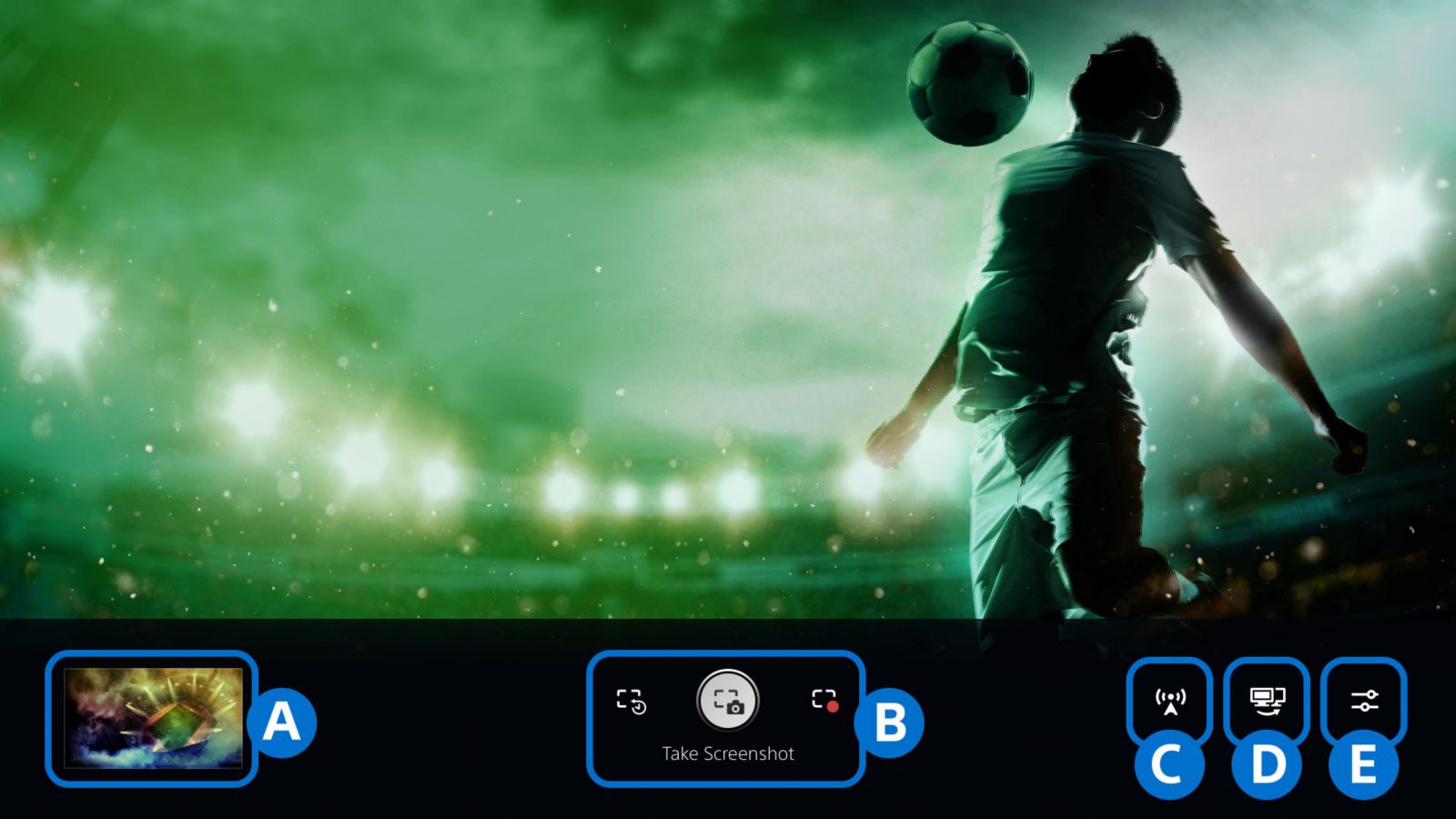
The DualSense Create button opens Sony’s capture menu. Its official instructions distinguish taking a screenshot, starting a new recording and saving recent gameplay. That last option is useful when something interesting happened before you decided to record it. Supported recent-history lengths run from 15 seconds to one hour; some content can be blocked from capture.
A screenshot suits a composition you can hold on screen. Recent gameplay suits a fleeting sequence whose significance became apparent a second too late. A recording started deliberately is better when you want a continuous segment and know where it begins. Picking the method first avoids discovering afterwards that you saved the scenery but missed the movement.
Before launch, practise the button behavior in a game you already own. The useful skill is finding the right control without turning every spontaneous moment into a trip through settings. Sony allows Create-button shortcuts to be changed, so do not assume another player’s button sequence matches your configuration.
Decide what travels with the picture
Capture settings can include microphone and party-chat audio. Check those options before making a clip you intend to share, and ask other participants before including their voices. A clean image does not tell you what the audio track contains.
This matters particularly during a staggered international launch. Someone receiving your clip may not have reached the same point, even if both of you bought the game on release day. Our spoiler-boundary guide covers the timing problem; choosing a neutral frame is the sharing equivalent of giving someone time to catch up.
Keep the file, not just the app entry
According to Sony’s PS App documentation, supported captures remain available through the app for 14 days. Video uploads have limits: the guidance specifies non-4K clips under three minutes, with the FAQ identifying 1920×1080 as the maximum resolution. A longer or higher-resolution recording can exist on the console without appearing through that route.
The app feature does not require PlayStation Plus. That distinction helps avoid buying a subscription to solve a capture-format problem. Enable the feature and check its conditions, then download the clips you want to retain to your own device while they are available.
For a valuable moment, keep the original file rather than relying only on a compressed copy posted to a social service. Our look at Vice City’s lighting shows why small visual details can matter; a platform’s recompression can alter the very texture or shadow you wanted to preserve.
The best preparation is modest: know how to save the last minute, know whose voices it includes, and know where the lasting copy will live. Then the first unexpected moment in Leonida can remain a memory rather than an almost-recording.