
Abiotic Factor fixes a mod-related save bug, with partial recovery possible
Hotfix 1.5.0.31836 targets a specific upgrade sequence. Recovery is more likely when less play followed the corruption.
Abiotic Factor’s October 30 hotfix addresses a save-corruption bug triggered by adding mods to an existing world before that save had been upgraded to the latest game version. Deep Field says version 1.5.0.31836 prevents the problem and can also recover some already affected saves.
The recovery qualification matters. In the official hotfix notice, the developer says the chances are better when less play occurred after corruption. This is not a guarantee that every damaged world will return intact, nor a claim that every save-related problem has the same cause.
The order of operations was the fault
The reported trigger combines three conditions: an existing save, an upgrade to a newer game version that had not yet been applied to that save, and the addition of mods. That is more specific than saying mods are inherently unsafe or that any old world is broken.
A game update may need to migrate stored world data into a newer format. Adding another layer of modification before that migration has completed can create a different state from loading the updated world first. Deep Field identifies the faulty sequence here; the notice does not publish the underlying implementation, so a more detailed technical explanation would be speculation.
For affected players, the developer’s instruction is to update the game and try loading the world again. Before experimenting with an irreplaceable world, retaining an untouched backup where the platform supports it is prudent. Repeatedly changing mods and overwriting the only copy makes it harder to separate the original problem from later changes.
Recovery and mod compatibility are separate
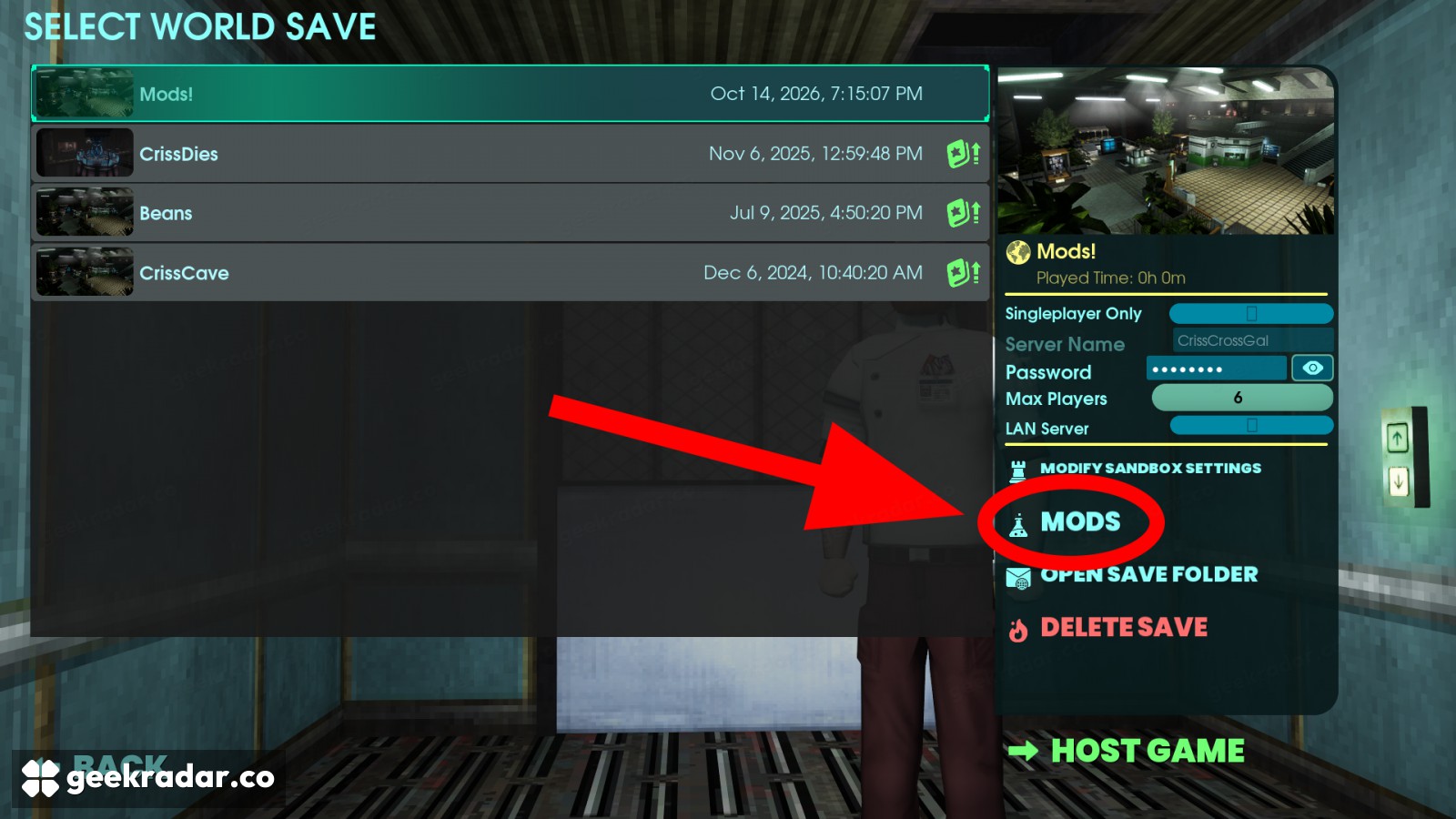
The official installation guide places gameplay-mod activation in the Saved Worlds screen, separately from downloading a mod in the library. That distinction helps identify whether a mod is merely installed or actually enabled for the affected world.
The same notice distinguishes official mod support from unofficial modifications. Official mods can be automatically disabled until their creators update them for compatibility with the new game version. A disabled mod therefore does not, by itself, show that its content has been lost from a save or that the new hotfix failed.
Deep Field asks players experiencing crashes with official mods enabled to try disabling them before reloading. For unofficial mods, it recommends removing them and notes that leftover files can remain after an uninstall. Those are troubleshooting instructions, not a reason to delete world saves indiscriminately.
| Platform | Game version | Listed build |
|---|---|---|
| Steam | 1.5.0.31836 | 26315100 |
| PlayStation 5 | 1.5.0.31836 | 01.005.002 |
| Xbox Series X/S and PC app | 1.5.0.31836 | 1.5.31836.0 |
The differing build identifiers come from Deep Field’s notice. They should not be mistaken for different feature versions simply because their numbering formats differ.
The fix does not close every issue
Deep Field says further hotfixes are planned, including work on corrupted pepper data. That issue should not be silently folded into this repair. Players reporting a remaining problem can make the report more useful by noting the platform, game version, whether the world predates the update and which kind of mods were involved.
The immediate value of this release is preserving the possibility of returning to an existing world. For someone with hours invested in it, that is more consequential than a new item or cosmetic: the next load screen may lead back to the work already done.