DirectX 12 vs Vulkan: the rendering API is not a performance guarantee
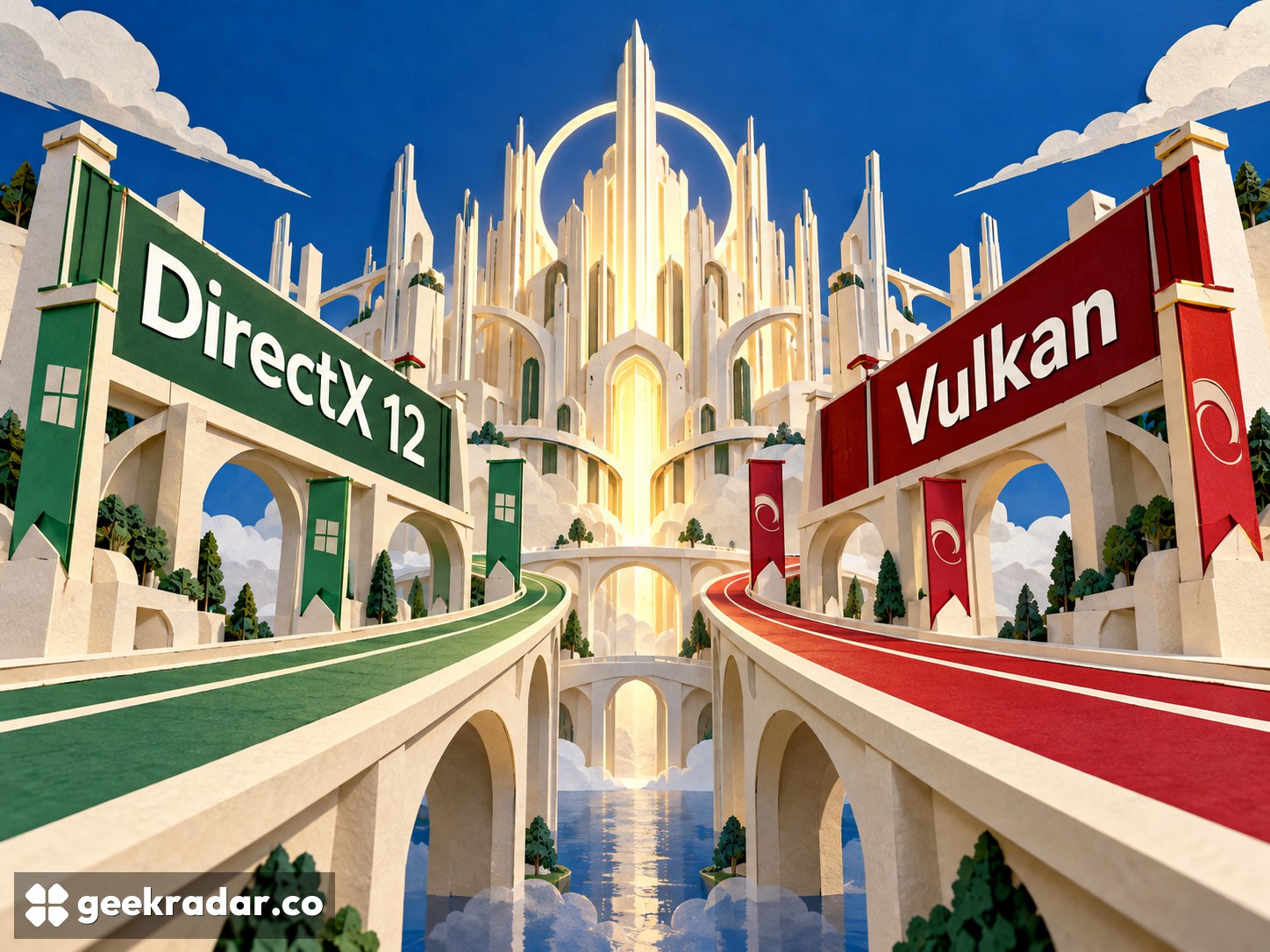
Direct3D 12 and Vulkan give engines explicit control, with different platform considerations. A game's backend and its implementation matter more than the logo.
DirectX 12 and Vulkan are often presented as rival performance modes. For a developer, they are interfaces through which an engine asks the graphics hardware to work. For a player, they are implementations chosen by the game's creators. Neither name promises a higher frame rate independently of the engine, driver and workload.
The precise comparison is between Direct3D 12, the graphics API within Microsoft's DirectX family, and Vulkan, the Khronos Group's cross-platform graphics and compute API. Keeping those boundaries clear avoids treating an entire multimedia platform as if it were one rendering switch.
More control also means more responsibility
Microsoft's Direct3D 12 introduction describes an API that gives applications more explicit control over tasks such as resource management and submission of work. Khronos describes Vulkan as a cross-platform, cross-vendor API providing low-level access to graphics and compute hardware.
Explicit control can help an engine arrange work efficiently. It also leaves more decisions with the engine team. An application has to coordinate resources and dependencies correctly; a lower-level interface does not automatically make those choices good. It gives skilled developers room to improve a bottleneck, alongside more opportunities to create one.
Consider a scene that repeatedly waits for a resource before continuing. Changing the API logo does not remove the dependency. The engine must arrange its work differently, or reduce the work involved. Conversely, a better submission strategy may help a CPU-limited scene without changing the visual quality at all. The useful question is which part of the frame is constrained.
Platform reach and development fit
Direct3D 12 is a natural candidate for a project built around Microsoft's Windows graphics environment and tooling. Vulkan's cross-platform design is attractive when a team wants to share a rendering approach across different operating systems and hardware vendors. That does not mean every device exposes the same capabilities or every platform requires no additional work.
The advantage of either choice depends on the rest of the production pipeline. A team with a stable Direct3D renderer may gain little by replacing it solely for a theoretical performance benefit. A team planning several platform targets may find that a Vulkan backend reduces duplication, provided its tools and target drivers support the required workload.
| Project question | Direct3D 12 consideration | Vulkan consideration |
|---|---|---|
| Main target | Fit with the Windows graphics environment | Fit with multiple platform targets |
| Existing engine | Reuse a mature D3D12 backend where suitable | Reuse a mature Vulkan backend where suitable |
| Required features | Verify API, driver and hardware support | Verify API, extensions, driver and hardware support |
| Engineering cost | Maintain resource handling and platform integration | Maintain resource handling and platform integration |
This is a production decision as much as a technical one. A renderer that a team can debug and ship is worth more than a nominally elegant replacement that consumes the release schedule. Portability also includes build systems, input, audio, assets and testing; the graphics API cannot carry that entire burden.
A DirectX game can still use Vulkan underneath
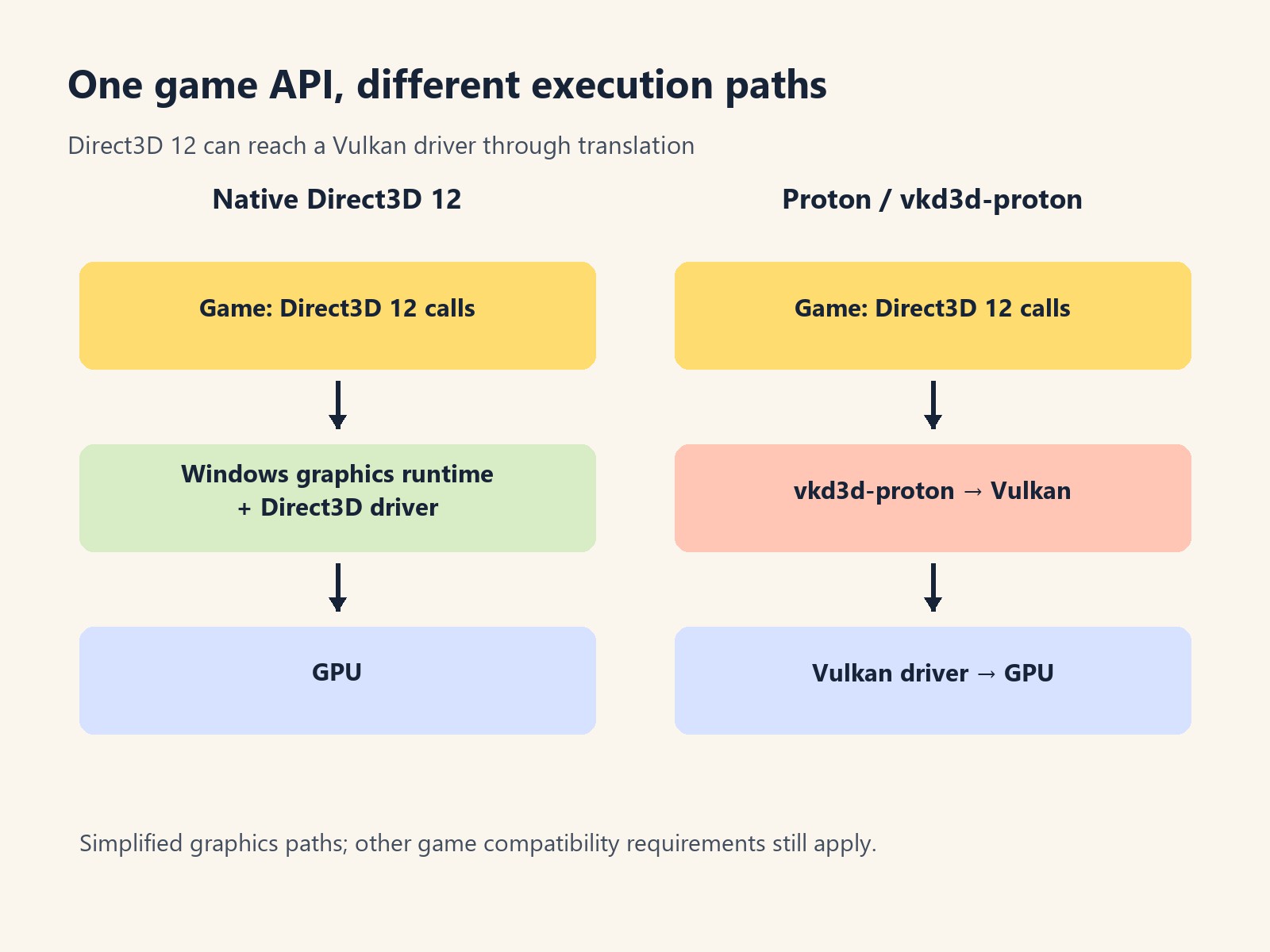
The distinction becomes particularly useful on Linux. vkd3d-proton implements Direct3D 12 over Vulkan for Proton. A Windows game can therefore issue Direct3D commands while the compatibility layer translates them into work for a Vulkan driver.
That is not the same as the developer shipping a native Vulkan version. It is a separate path with its own compatibility requirements. It also explains why a Windows game's DirectX label does not, by itself, answer whether it can run through Proton. Other components of the game remain relevant.
What players should do with an API selector
When a game offers both backends, compare the actual choices on the machine you own. Keep resolution, visual features and scene consistent, and pay attention to crashes, stutter and missing effects as well as average frame rate. If one path omits an expensive feature, its higher number is not a like-for-like win.
There is little reason to replace a stable, satisfactory backend because a forum treats one API as inherently superior. For developers, the strongest choice is the interface that fits the targets and the team's engineering capacity. For players, it is the implementation that runs their game reliably with the desired features. Those are related decisions, but they are not the same contest.