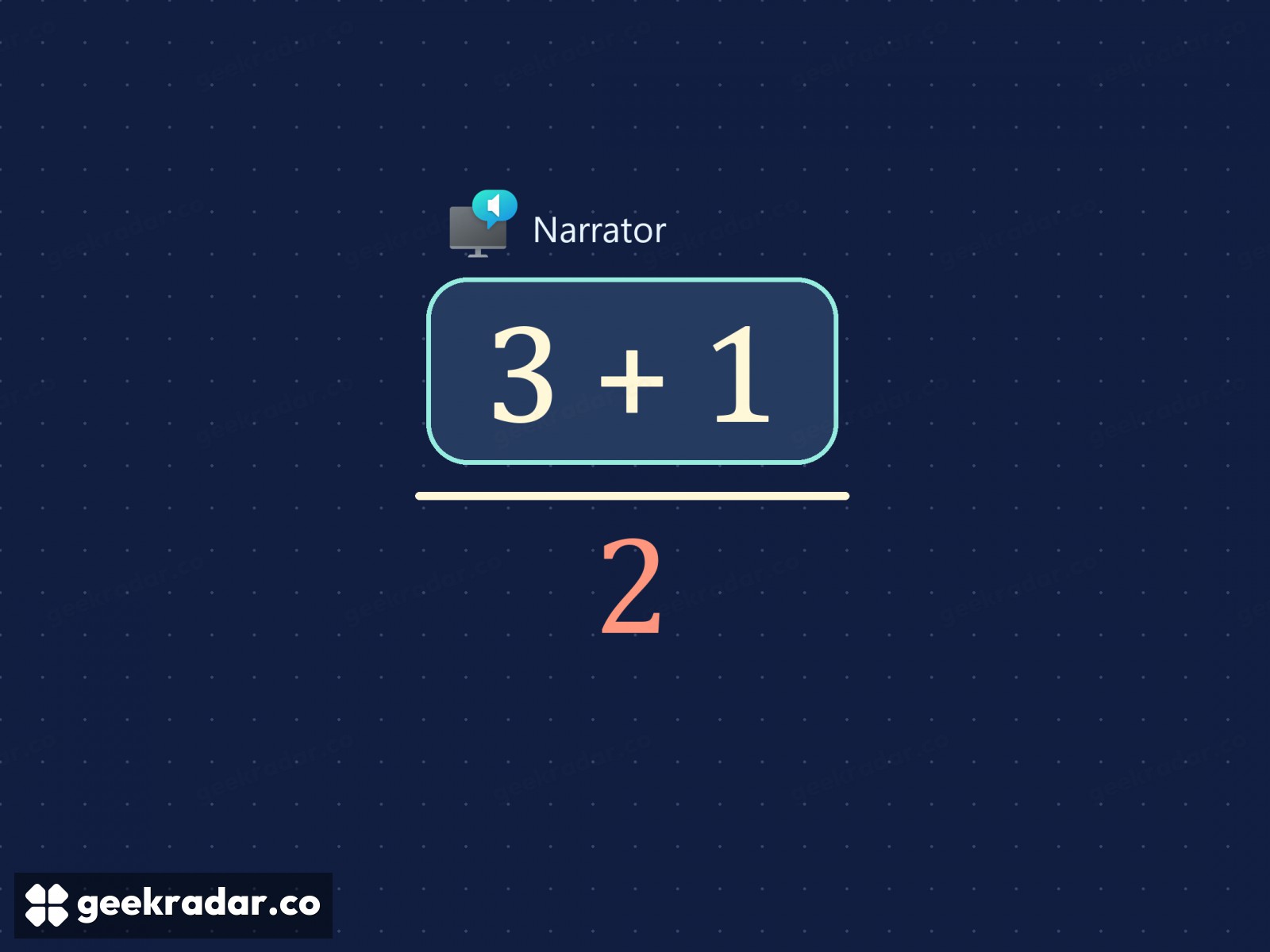
Windows Narrator can take a fraction apart, one arrow key at a time
Microsoft’s November previews bring equation navigation to Windows 11 26H1 and expand math-reading languages on two other versions. A fraction shows why being able to revisit one part matters.
Say “three plus one over two” out loud. One listener might hear three plus a half. Another might divide the whole sum by two. On the page, the length of a small horizontal line settles the matter instantly. Microsoft’s November 19 preview for Windows 11 26H1 gives people using Narrator a way to settle it for themselves: move through the parts of a supported equation with the arrow keys.
Consider the fraction in the illustration. The numerator is three plus one; the denominator is two. Its value is two. Move the three outside the fraction, leaving only one above the line, and the result becomes three and a half. Identifying every digit correctly is only half the job of reading the expression. The other half is knowing which digits belong together.
Returning to the part you need
Microsoft lists Word and PowerPoint among the supported Microsoft 365 apps. For supported web content it specifies Edge 153.0.4234.32 or later and Chrome 153.0.8010.18 or later. At an equation, press Narrator key + Alt + N to enter math navigation, use the arrows to explore and press Esc to leave. By default, either Caps Lock or Insert can act as the Narrator key.
That distinction between reading and navigating matters on the second pass. A student following a derivation may already understand the numerator and want to check only the denominator before proceeding. Listening to the whole expression again makes the student hold the first part in memory while waiting for the relevant term. Moving to that part directly gives the reader some of the freedom a sighted classmate has to glance back up the page.
It also gives an author a reason to preserve the equation when preparing a handout. Word’s Insert Equation command lets the mathematical object travel with the document. On the web, MathML represents a fraction with separate children for the numerator and denominator. Pasting a picture of the same expression preserves its appearance but discards that navigable structure. A text description can still explain the picture; it cannot turn its pixels back into the original equation.
Which November update applies?
The 26H1 notes list US and UK English, Traditional Chinese, Finnish, German and Spanish for math reading. The feature is rolling out gradually. In the separate November preview for 25H2 and 26H2, Microsoft announces eight additional languages: Greek, Hungarian, Indonesian, Norwegian Bokmål, Polish, Russian, Swedish and Vietnamese. A language listed for one Windows release need not be available on another at the same time.
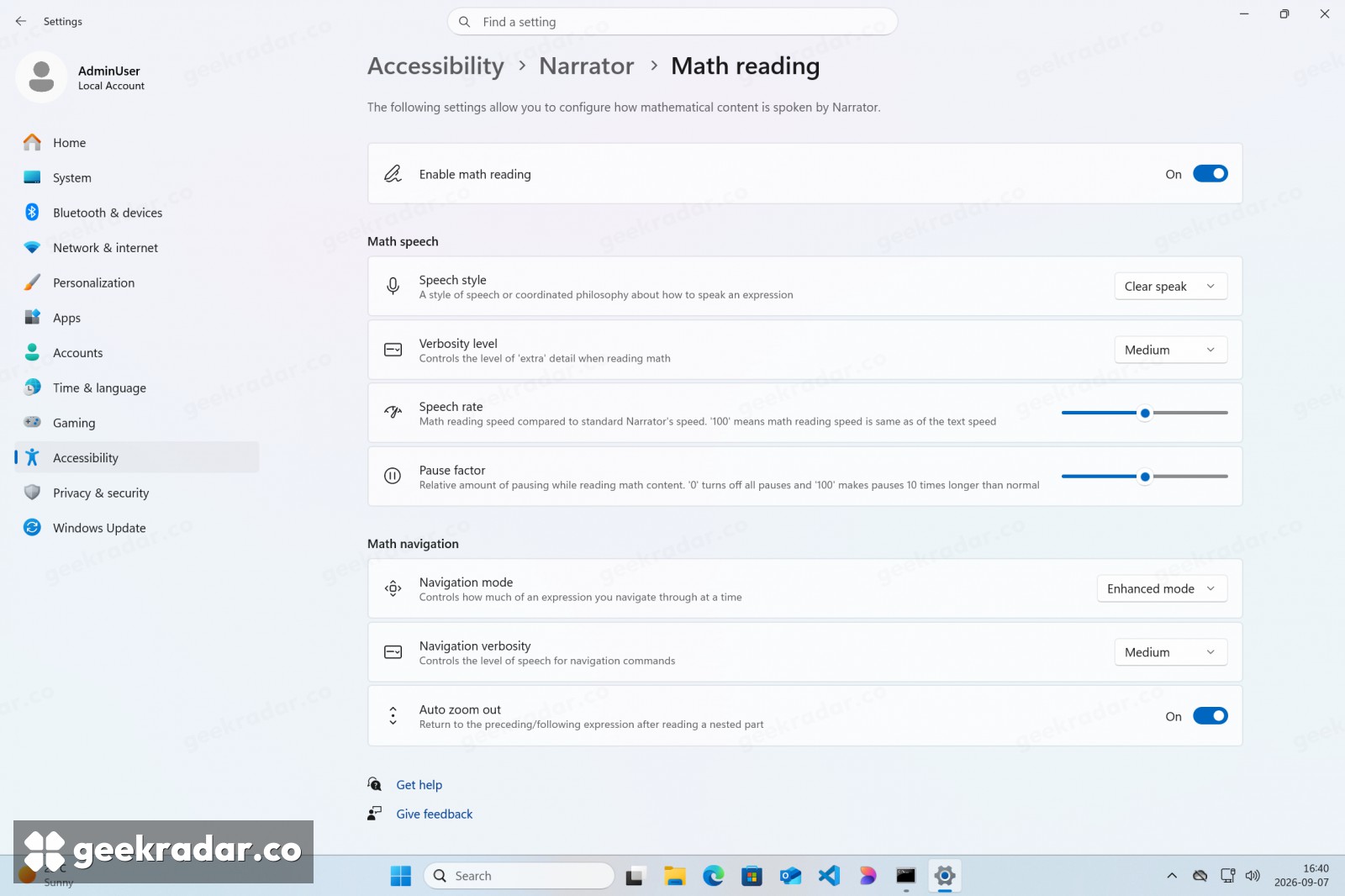
The preferences live under Settings → Accessibility → Narrator → Math reading. Microsoft’s preview of that page shows controls for speech rate and pauses alongside separate options for navigation. Those are two quite different choices. You might want a familiar expression spoken quickly and still want the freedom to stop at the fraction bar. A good handout leaves that decision with the person doing the mathematics.