OpenShot 4.1 puts text editing in the preview and automates lighter working copies
The free editor links direct text tools, proxy preparation and export validation to remove interruptions around the edit.
OpenShot 4.1 makes two frequent editing tasks less indirect: putting words on a video and working with footage that is expensive to decode. Text can now be edited directly in the preview, while Auto-Optimize identifies slow media and offers to prepare lighter copies for editing. The original files remain the source for export.
The release announcement describes a broader update, including export checks and an experimental command-line interface. The 4.1.0 release package gives those changes a version to distinguish from daily development builds. For an editor's ordinary workflow, the strongest connection between the headline features is that they shorten the distance between a decision and seeing its result.
The current maintenance release is already 4.1.1, published November 2. It adds export presets and fixes saving and packaging issues; its libopenshot dependency also includes a Mac VideoToolbox export-crash correction. The 4.1 feature set below should therefore be considered alongside that newer maintenance package.
Text becomes an object you can edit in place
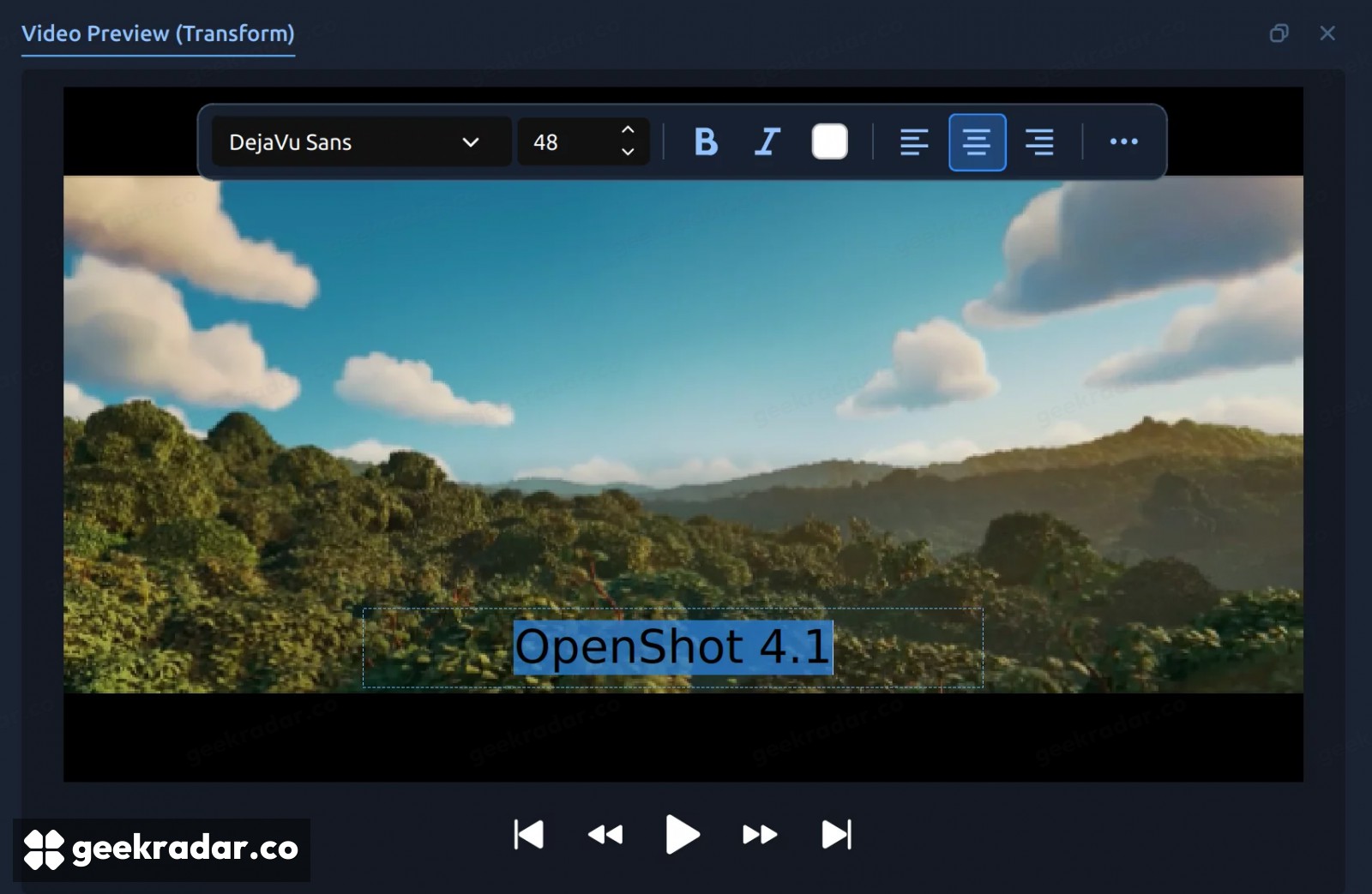
The new text tool places a text clip at the playhead and lets the user type in the preview. A floating style bar handles common formatting, while a fuller dialog exposes settings such as outline, background, padding and spacing. Existing text can be reopened for editing without rebuilding it in a separate title workflow.
That matters most for repeated small decisions. A lower-third caption needs to fit the image, remain readable and avoid covering the subject. Changing the wording or size in context makes the relationship visible immediately. Copying a text style to another clip can preserve consistency while leaving each clip's words independent.
The distinction from other text features remains important. OpenShot retains its SVG Title editor and timed Captions tools. A directly editable text clip is convenient for labels and titles; it does not automatically supply the timing, transcription or accessibility work involved in creating accurate subtitles.
Lighter editing copies, original media at export
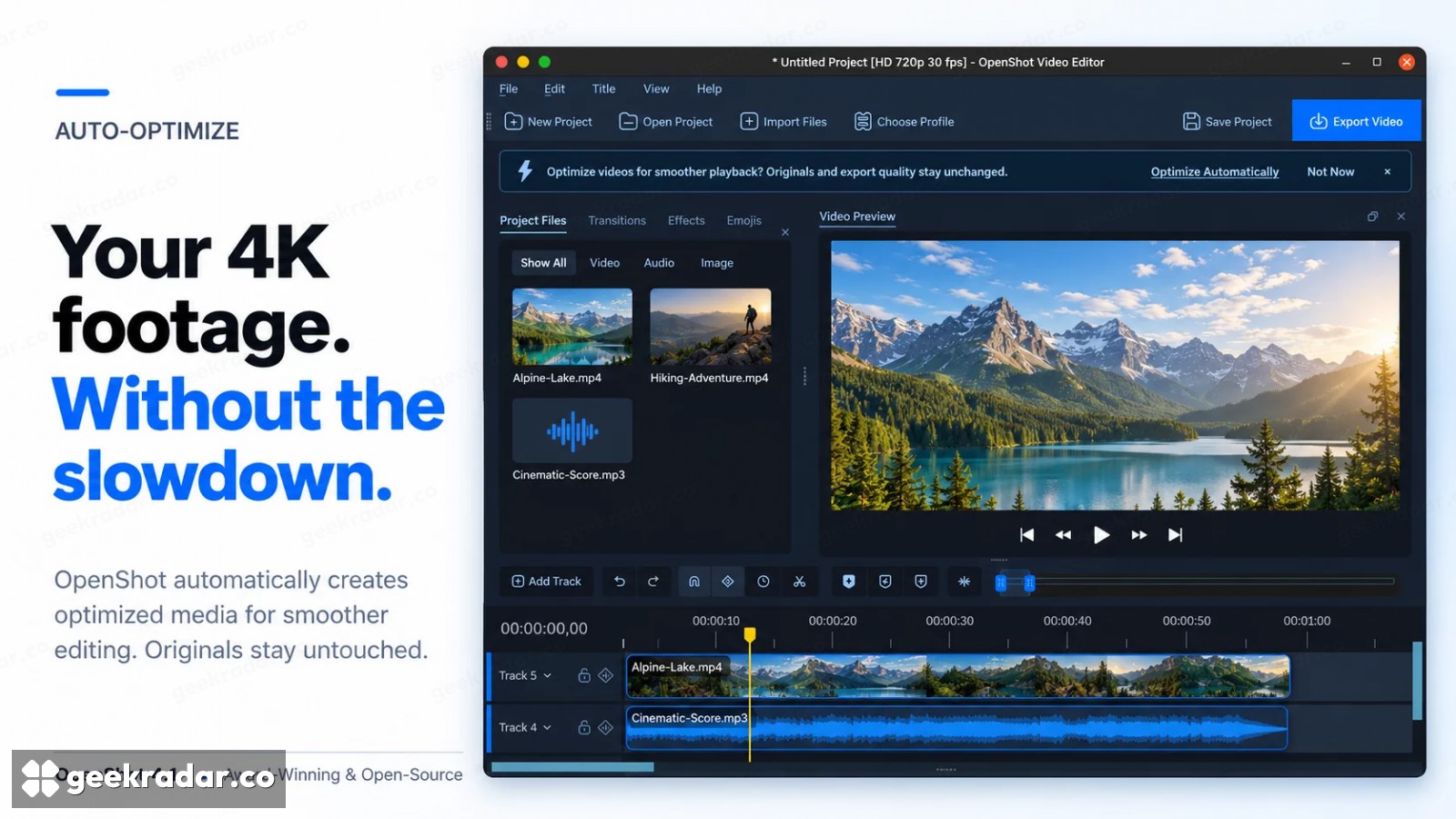
Optimized media is not new to OpenShot, but 4.1 adds a way to identify candidates automatically. The application uses time already spent generating the first thumbnail to recognize slow files, then offers to optimize the project's media. Accepting the option also adds later slow imports to the queue.
The default optimized copy is 720p. Its role is to reduce the work involved in previewing and seeking, not to redefine the resolution of the source. This approach is commonly called a proxy workflow: decisions are made against a more manageable representation, then applied to the original material when producing the final output.
This separation also explains the limit of the performance claim. A smoother preview does not establish that a computer will export a complex effects stack quickly. Encoding, effects and the chosen output format still require work. OpenShot's announcement describes the mechanism; it does not supply a benchmark for every codec and machine.
Catching an invalid export before waiting for it
The update checks export settings with FFmpeg as they are changed. An incompatible combination can therefore be identified before the user starts writing a file. The application's own example is a codec and container mismatch: a combination that looks selectable to a person can still be invalid for the encoder.
Keeping settings editable after a completed or failed export is a smaller but useful companion change. Producing a second version should not require reconstructing the entire setup just because the first file used a different resolution or name.
The experimental command-line interface exposes editing and export operations to scripts, including validation. Linux ARM64 builds are also available through the daily PPA and edge Snap channel; these development channels should not be confused with a promise that every platform now has a stable native ARM64 download.
For video editing, the practical value of 4.1 lies in removing interruptions around the actual edit. A title can be adjusted where it appears, slow footage can become easier to navigate, and a bad export combination can be rejected before it consumes a long wait. None of that makes creative choices automatically. It makes fewer of those choices depend on leaving the scene you are trying to shape.