Nintendo Switch 2 vs Steam Deck OLED: which library should travel?
Nintendo’s detachable controls and dock meet Valve’s portable PC library. Screen specifications, game compatibility and storage standards point to different priorities.
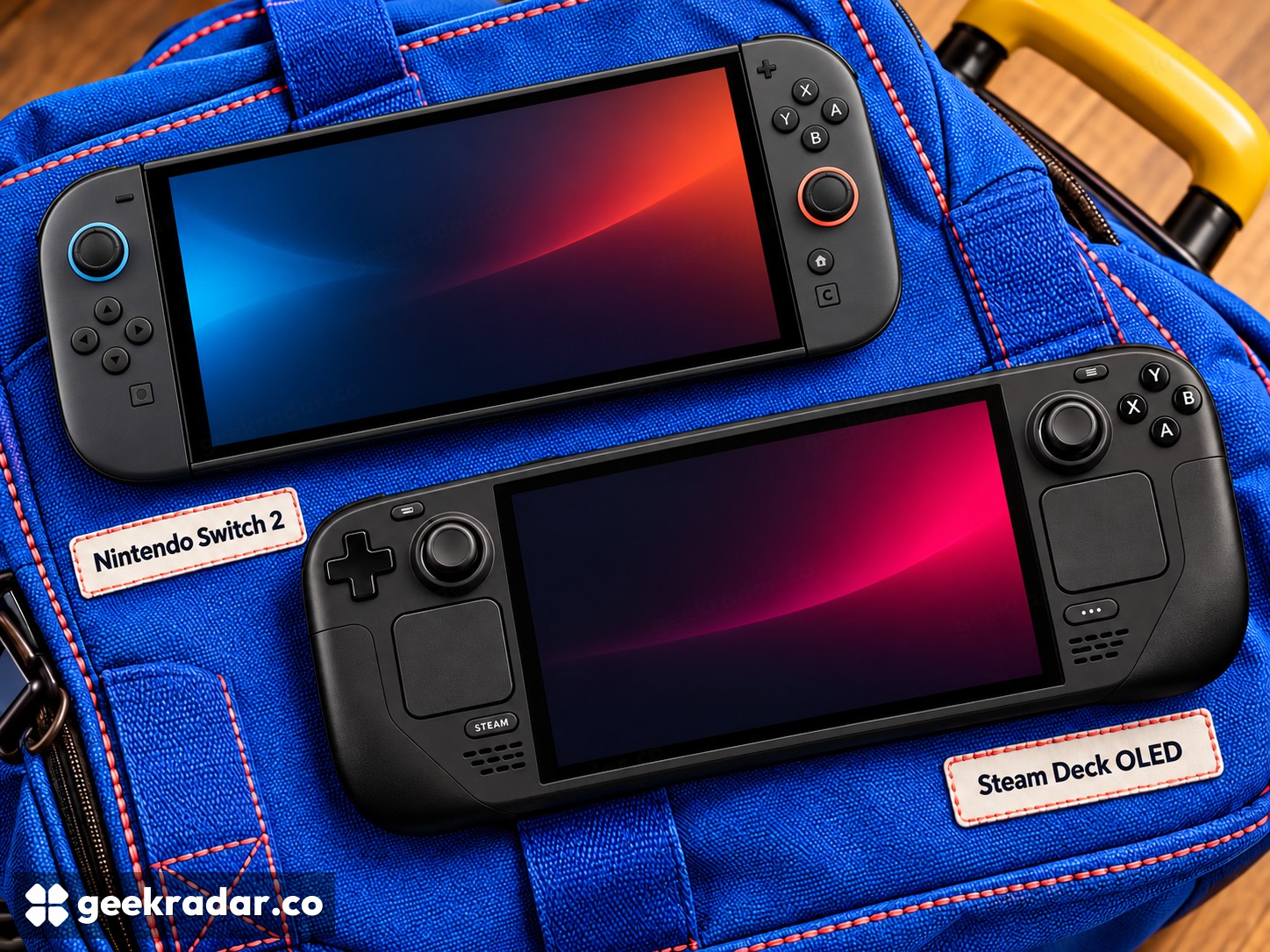
Nintendo Switch 2 and Valve's Steam Deck OLED can occupy the same space in a travel bag while serving quite different libraries. Nintendo offers its console ecosystem with detachable controllers and a television dock. Valve offers a portable route into a PC library, with compatibility information that still needs to be read game by game. The screen is only the second decision.
The comparison here is specifically Steam Deck OLED, not the older LCD model. That distinction changes display, battery and other hardware details, and prevents a discounted older unit from being mistaken for the same proposition.
First decide which games must travel
A Nintendo purchase and a Steam purchase are separate entitlements unless a publisher explicitly says otherwise. Owning a game on one store does not automatically provide the other version, its downloadable content or transferable saves. Write down the five games you actually want to carry before comparing devices; a library you already own can outweigh a hardware discount.
Valve's Deck Verified system distinguishes Verified, Playable, Unsupported and Unknown titles. “Playable” is not simply a lower review score. It can flag practical steps such as using an on-screen keyboard or adjusting settings. Unknown means the compatibility review is incomplete, rather than proving the game will fail.
For an essential multiplayer title, confirm the current status and its launcher or anti-cheat requirements. Installing a PC game and reliably joining its online matches are different milestones. Nintendo's own store listing likewise needs checking for the exact Switch or Switch 2 edition, supported modes and language options.
LCD resolution versus OLED presentation
Nintendo specifies a 7.9-inch 1920×1080 LCD with HDR10 and variable refresh up to 120Hz. Valve specifies a 7.4-inch 1280×800 HDR OLED reaching 90Hz. Nintendo offers the larger, higher-resolution panel; Valve offers OLED's pixel-level light control. Those characteristics describe different strengths.
Neither specification guarantees that a demanding game runs at the panel's maximum resolution and refresh rate. Games may render below the screen resolution or target a lower frame rate. A screen capable of 120Hz does not transform a 30fps game into a 120fps one.
The aspect ratios differ too: Switch 2's display is 16:9, while Deck's is 16:10. Interface layout and black bars can therefore vary with a game's support. The useful comparison is how the titles you play look and read on the device, including small text, rather than a panel specification detached from software.
Controls and storage change the packing list
Deck has two trackpads and four assignable rear grip buttons, giving it input options beyond a conventional controller. Their usefulness depends on the game and configuration. Switch 2's detachable Joy-Con 2 controllers instead change how the hardware can be shared or positioned. Check how many controllers a particular local multiplayer game actually requires before assuming the box supplies everything.
Storage also differs. Switch 2 has 256GB internally and uses microSD Express for expansion; Deck OLED comes with 512GB or 1TB SSD options and supports conventional high-speed microSD storage. A card fitting the slot does not mean it meets Nintendo's expansion requirement. Price the correct standard rather than comparing the cheapest cards with similar capacities.
Nintendo's game-key card guidance adds another important distinction: these cards require downloading game data. A physical box is therefore not proof that the game is ready for an offline journey. Install, update and launch the chosen games before leaving reliable connectivity, on either platform.
The strong opening sales of Switch 2 established demand at launch. They do not answer whether its library matches an individual buyer’s habits.
The better travel companion is already prepared
Italian buyers should compare local hardware offers plus the necessary games, storage and docking accessories. The language of the console interface does not establish that every game includes Italian text or audio; check each listing separately.
Choose Switch 2 when the Nintendo library and its controller-and-TV arrangement are the reason for buying. Choose Deck OLED when the PC games you want are demonstrably compatible and its controls fit them. The winning handheld is the one with your games installed, your saves present and no surprise login waiting at the station.