Teenage Engineering’s EP/BC–1 lets a CD set the tempo for a drum machine
The EP/BC–1 listens for a beat, sends timing pulses to other instruments and remembers three cue points per disc. Its manual explains where that leaves room for a human ear.
The most interesting socket on Teenage Engineering’s first CD player carries no music. Put on a disc, start its beat detector and the EP/BC–1 can send a clock signal to a compatible drum machine or sequencer. The CD gets to set the pace. For someone who wants to play along with a recording, that’s a good reason to reach for a physical disc even when the same album is a tap away.
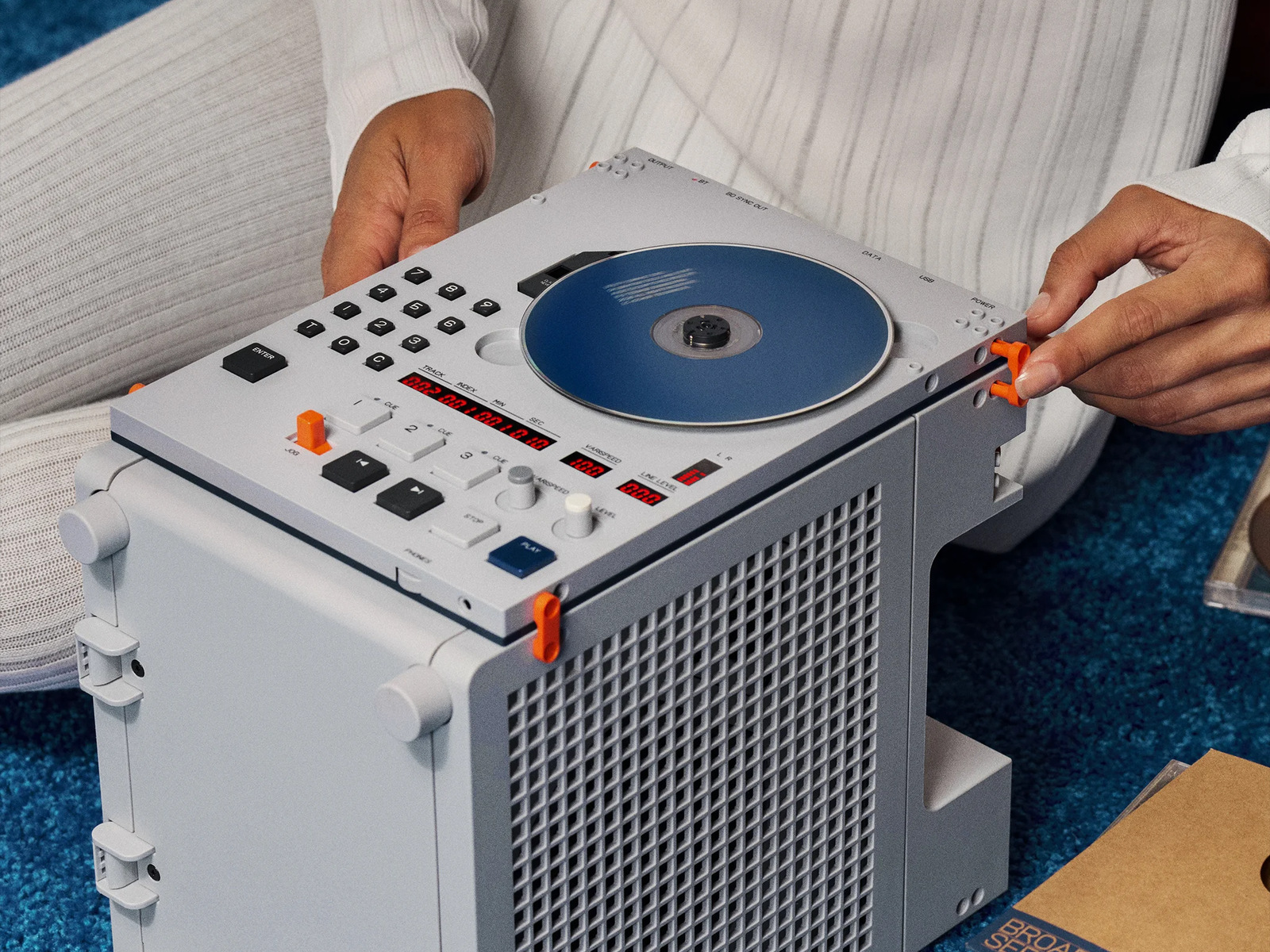
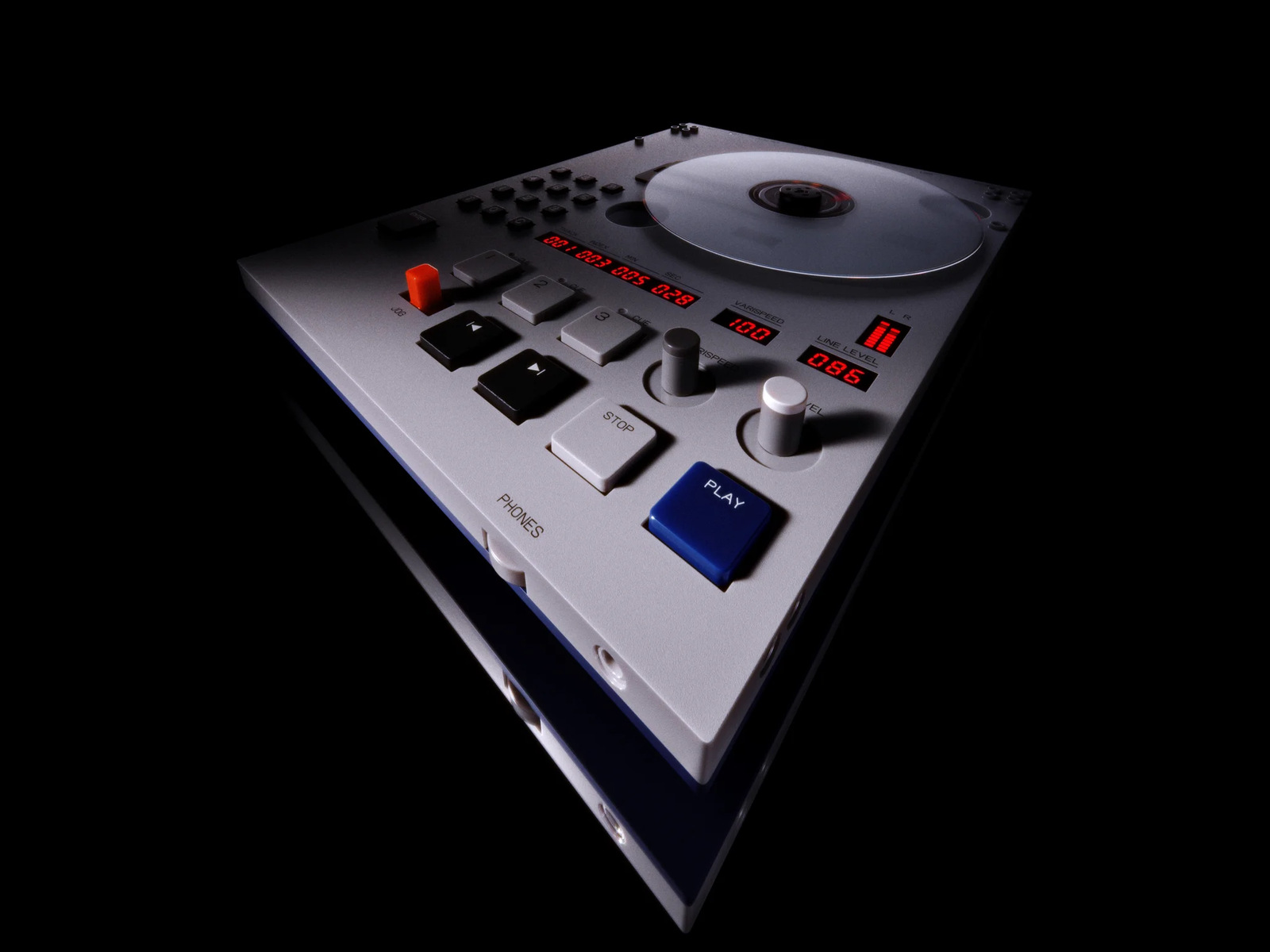
The EP/BC–1 is the first product in the company’s Broadcast Series. An uncovered disc turns beside a numeric keypad, with playback position and speed readable from the front. Wallpaper’s launch coverage puts the UK price at £259. The amplifier shown beneath the player in the photograph is the separate K.O.–AMP 35. Output options on the player itself include headphones, line out and Bluetooth.
Getting a drum machine to follow a drummer
A sequencer normally has a tempo of its own. Dial in 120 beats per minute and it will keep going at 120 even if the drummer on an old recording pushes into the chorus. The BC–1 listens to the track as it plays and updates its estimate on each beat. Its sync socket sends pulses at sixteenth-note intervals, giving compatible equipment a timing reference derived from the recording. The track audio leaves through a different output.
The operating guide describes a particularly useful detail: the display reports how confident the player is about its tempo estimate. If it hears a pulse differently from the way you want to count it, you can tap the tempo yourself. The varispeed knob has another job altogether. It changes how fast the CD actually plays, from half speed up to one and a half times normal speed. One control corrects the clock; the other changes the performance you hear.
A cue is a place on the disc
Say there’s a drum break a minute and a half into track four. The keypad lets you enter a track and time directly. Once you find the right instant, press a cue button and you have a shortcut back to it. There are three such positions per audio CD, with memory for the last 40 discs. The company cautions that playback from a cue takes a moment. That makes it handy for rehearsing a passage, less suited to playing that break like an instantaneous hit on a sampler pad.
The distinction carries over to copying audio. With a FAT32 USB drive of up to 32 GB in the data port, the player can record stereo WAV files at 16-bit, 44.1 kHz. It can also play MP3 files from a data CD, though it won’t remember cue positions for those files after the disc is put away. Two shiny discs can fit the same spindle and behave differently the next time you pick them up.
Sony’s dedicated Walkman makes a case for keeping a separate machine just for listening. The BC–1 earns its space in a different moment: when you hear a few bars worth returning to, leave a finger over the cue button and bring a second instrument in.