Spotify Wrapped can leave out your sleep playlist and still count the hours
Spotify lets you separate music you put on for a purpose from the songs that define your year. Where you press play matters, even when it’s the same track.
If you play the same piano record every night to fall asleep, you may want those hours in Spotify Wrapped without crowning the pianist your artist of the year. Spotify makes room for both. Its guide to listening exclusions says an excluded track or playlist can still contribute to total listening time. The plays from that source are left out of the other Wrapped statistics, including the top songs and artists.
As of November 25, Spotify’s preparation guide for Wrapped 2026 explains the controls without giving a launch date or a last day to make changes. Past release dates have fuelled predictions about this year’s reveal. They do not establish when Spotify takes the final reading of your account. What you can decide now is how it interprets the listening you do on purpose and the listening you do for a purpose.
One bedtime playlist, or a whole category?
Start with the smallest change that describes the problem. Open the three-dot menu on your bedtime playlist and choose Exclude from your taste profile. The selection applies to previous and future plays from that playlist. It stays in your library and you can go on using it at bedtime.
Say one track on the list is also a favourite you play in the car. If you start it from Liked Songs, that play can still shape your music profile. The difference is where you pressed play. To exclude the recording wherever you find it, use the track’s own three-dot menu instead. Either choice can be reversed. Hiding a song in a playlist does something else again: it skips that song when the playlist plays, without changing your taste profile.
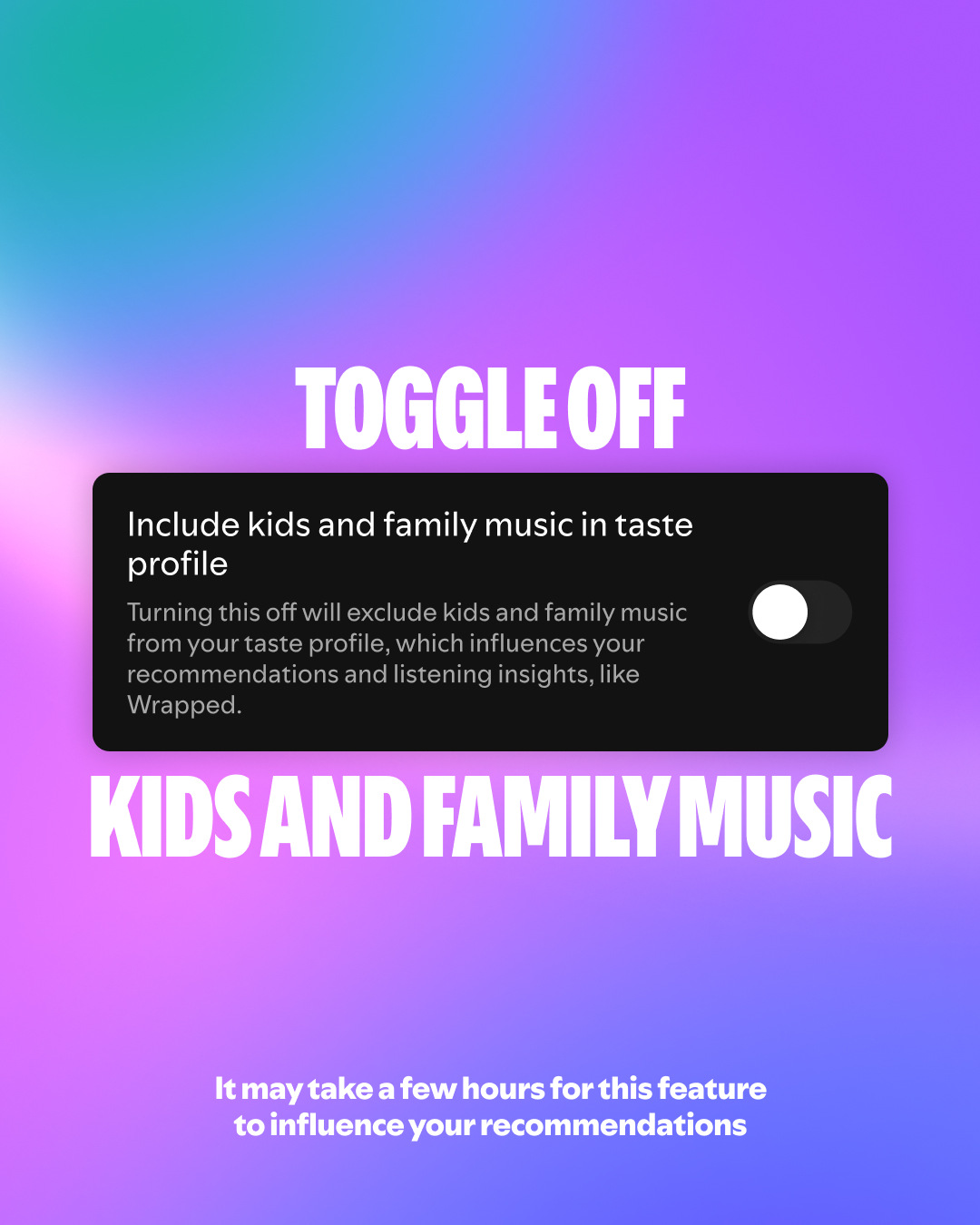
For a family sharing the speakers, excluding one playlist at a time may miss half the nursery rhymes. Spotify’s kids and family music switch covers that category across the account. On mobile, open your profile picture, then Settings and privacy, then Content and display. Switch off the option to include kids and family music in your taste profile. It starts enabled for Free and Premium listeners. Turning it off also affects past listening in that category and leaves the music available to search and play. It works on the listener’s profile independently of Spotify Family’s membership checks.
What changes on the next listen
Allow up to 48 hours for an individual track or playlist exclusion to take effect. A recommendation that refreshes weekly, such as Discover Weekly, may take until the next week to reflect the change. Those timings describe the setting and the recommendations. They are no guarantee that a late edit will make this year’s recap.
There is no need to play a competing artist all afternoon to drown out last night’s piano. If you still love one song on the sleep playlist, leave it in Liked Songs. You can keep the hours you slept through and give the listen you actually chose a say in your year.