
Google Maps puts a multi-day trip on the map, one numbered stop at a time
Ask Maps can build an itinerary from a request and search places you already saved. Appointment searches and expanded route tips have a more limited rollout.
Ask Google Maps to plan a weekend along the coast and it can now give each stop a number, put it on the map and group it with the other stops for that day. That last part solves a familiar planning problem. A restaurant can look like the perfect place for lunch until you see that it sits an hour’s drive back along the road you just came down.
The November 16 Google Maps update brings multi-day itineraries and search across saved places to markets where Ask Maps is offered. The rollout began on Android and iOS as Google started expanding the feature across Europe. Two other capabilities in the announcement have a narrower launch: finding appointments and showing a special set of tips when you pull up directions both start in the United States.
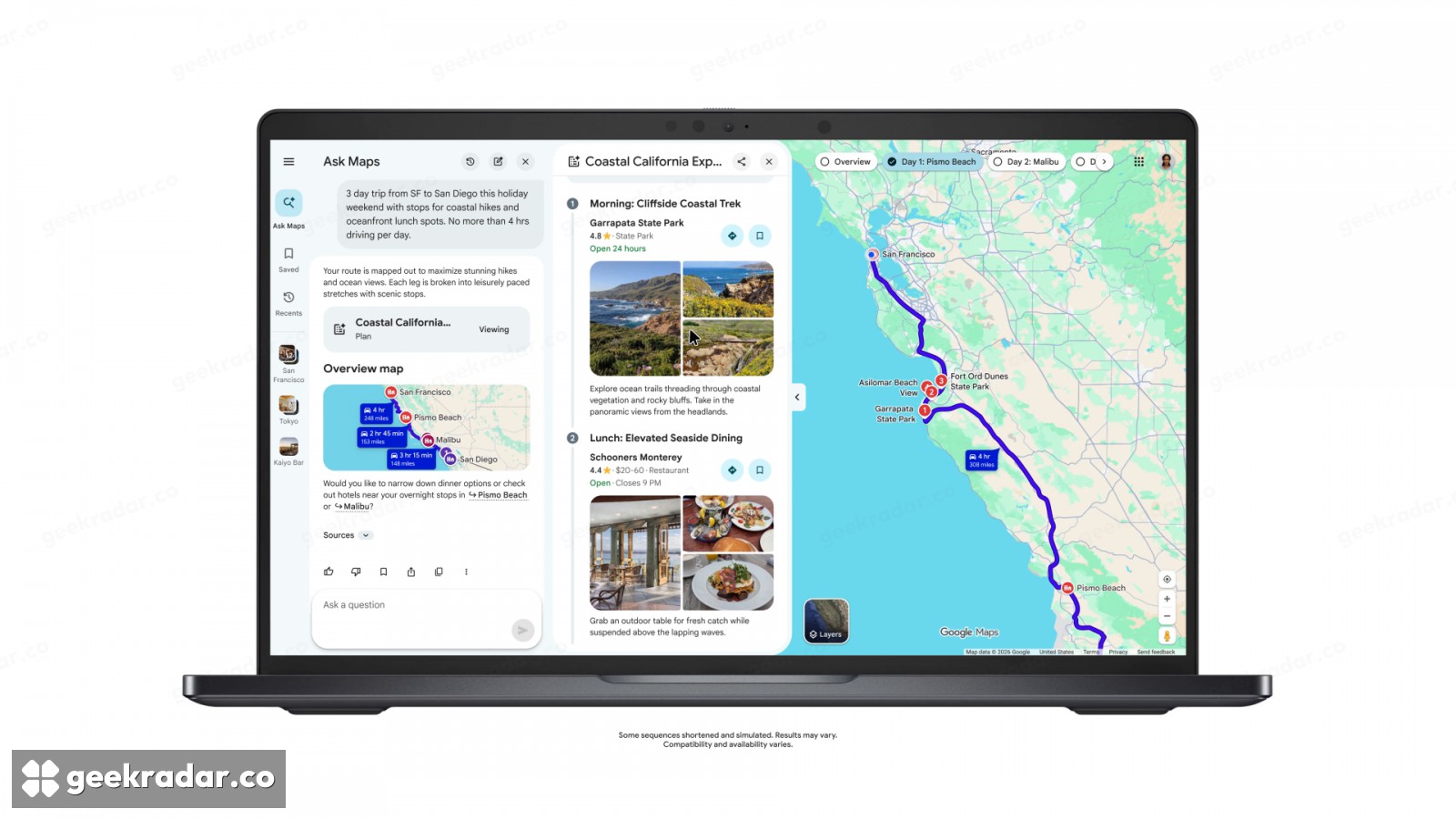
From a list of places to a route you can change
In Google’s desktop demonstration, the proposed stops along the California coast stay visible beside the route. You can inspect the stretch of road between them while reading the description of a place. A list of names might suit someone deciding which sights deserve a visit. Seeing the route alongside them answers a different question: which of those sights belong on the same day?
Once the trip is under way, you can return to the conversation marked with the itinerary badge, ask for a lunch stop or a different viewpoint, then open directions to the next stop from the plan. Google says Maps can bring in details such as traffic and whether a business is open. There are also two ways to pass the plan along. You can share the itinerary with companions or export it to Google Docs on desktop. A document is convenient for agreeing on Saturday’s stops before setting off. For the traffic on Saturday morning, the route in Maps is the more useful thing to open.
Start with the places you meant to visit
Search across saved lists may be the more practical addition for people who already use Maps as a travel notebook. Instead of asking for any nearby restaurant, you can ask which places you previously saved could take your group soon. The shortlist starts with choices you have already made, even if you no longer remember the name of the restaurant or which list you put it in.
That makes a difference when time is short. A group leaving a museum has two decisions to make: which saved place is close enough to reach, and whether there is a table. Maps can use location and availability information to narrow the options. Finding a suitable time still leaves the actual reservation to be confirmed.
The distinction matters if a trip crosses a border or an announcement shows a button missing from your phone. Google has also set different regional limits for Gemini features in Android Auto. For this update, a numbered pin is best understood as an invitation to inspect a stop. The moment the feature earns its place is when you can spot the backtrack, move lunch to the right side of the headland and give that hour back to the trip.