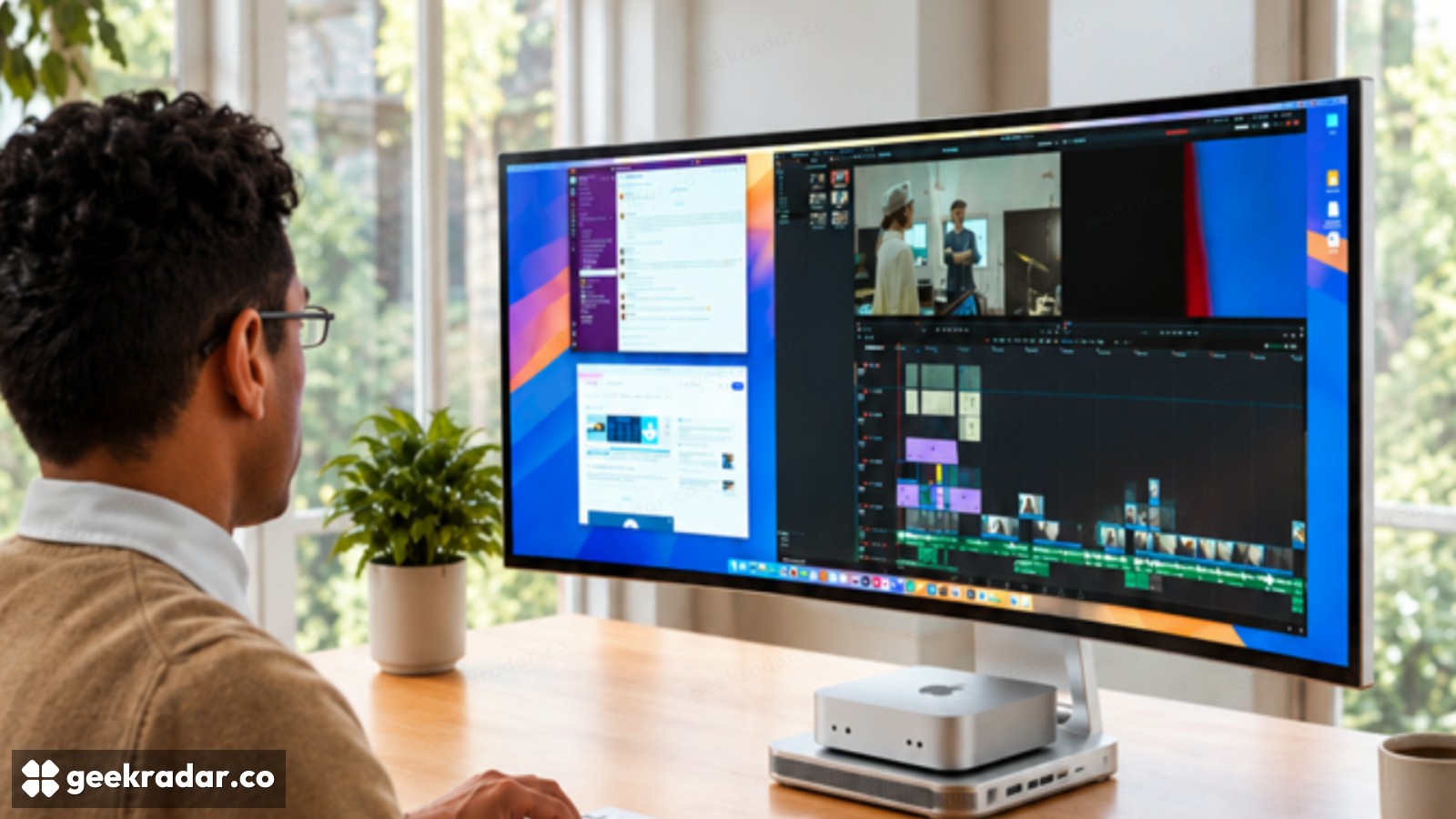
Prisma packs a Mac dock into a 40-inch monitor. Integration carries its own tradeoffs
Mobile Pixels’ campaign combines a 5K2K panel, switching and a computer cradle. A pledge price and shipping estimate are not retail availability.
Mobile Pixels wants its Prisma monitor to absorb much of the clutter around a desktop computer. The proposed 40-inch curved display combines a dock, storage expansion, peripheral switching and a place for a Mac mini or Mac Studio. Its appeal is not simply a larger screen: it is the possibility of buying fewer separate objects for the same desk.
The manufacturer is promoting Prisma through its official site and a Kickstarter campaign. The advertised introductory contribution is $999, with delivery estimated for January 2027. That is crowdfunding pricing and a delivery target, not a normal in-stock retail offer. Limited reward tiers and shipping terms can change.
“5K” does not describe the whole workspace
The announced panel resolution is 5120 × 2160. The horizontal dimension explains the 5K label, but the vertical dimension is 2160 pixels, not the 2880 pixels of a 5120 × 2880 display. For someone choosing a screen for documents, code or photographs, that difference matters more than the shared shorthand.
The ultrawide shape can put several windows beside one another without a bezel in the middle. It does not automatically provide more vertical working room than every narrower alternative. Scaling settings and viewing distance also determine how much information remains comfortably readable.
Mobile Pixels specifies a 120Hz IPS Black panel and broad DCI-P3 coverage. These are useful specifications to investigate, but coverage is not a measurement of calibration accuracy, uniformity or performance in a particular color workflow. A creative workstation still needs the display to behave predictably, not merely claim a large gamut.
Integration saves space and creates dependencies
The announced features include an M.2 storage slot, a KVM switch for sharing peripherals between computers, card readers and a wireless charging pad. A cradle accommodates a Mac mini or Mac Studio, while the display also supports compatible Windows systems. The computer itself is not included.
Each integrated function can remove a cable or a separate enclosure. It also ties more of the workstation to one product. If the monitor needs service, a user may temporarily lose the dock or peripheral switch as well. If the storage interface is slower than the installed SSD, buying a faster drive will not remove that bottleneck.
Those are ordinary tradeoffs of integration, not evidence that Prisma performs badly. The campaign needs to make the exact interfaces, bandwidth sharing and service arrangements clear enough for buyers to compare it with a monitor plus independent accessories.
The cleanest desk is not always the most flexible one
A bundled workstation display makes most sense when its built-in features match the user's actual equipment. Someone who already owns a capable dock and storage enclosure may pay for duplication; someone building a desk from scratch may value consolidation more.
Prisma's strongest proposition is a coherent physical setup. Its weakest potential comparison is a price tag that counts every integrated feature as a separate purchase the buyer would otherwise make. The useful question is simpler: which objects would genuinely disappear from this particular desk, and what flexibility would disappear with them?