Apple wants an AI agent that can use a computer. How would it know the job is done?
A hiring notice described software that could choose among apps, code and web services. An independent bookkeeping test shows why the final file matters more than the route taken.
Apple wants to build an AI agent that can choose how to do a job on a computer: work in an app, call a service, browse a website or write code. That ambition surfaced in a November job listing for a senior engineering manager. The most revealing word in the description was chooses. A user might care very much whether a set of receipts made it into a spreadsheet, and very little whether the software typed into cells or updated the file another way. How do you tell if it did the job?
9to5Mac reproduced the description on November 19, and Engadget reported on the same role. The US Apple Careers link now returns an unavailable-role notice. The description gives us a picture of the engineering work Apple envisaged. It gives prospective users neither a release date nor a device list.
Where Xcode already gives an agent a way to check
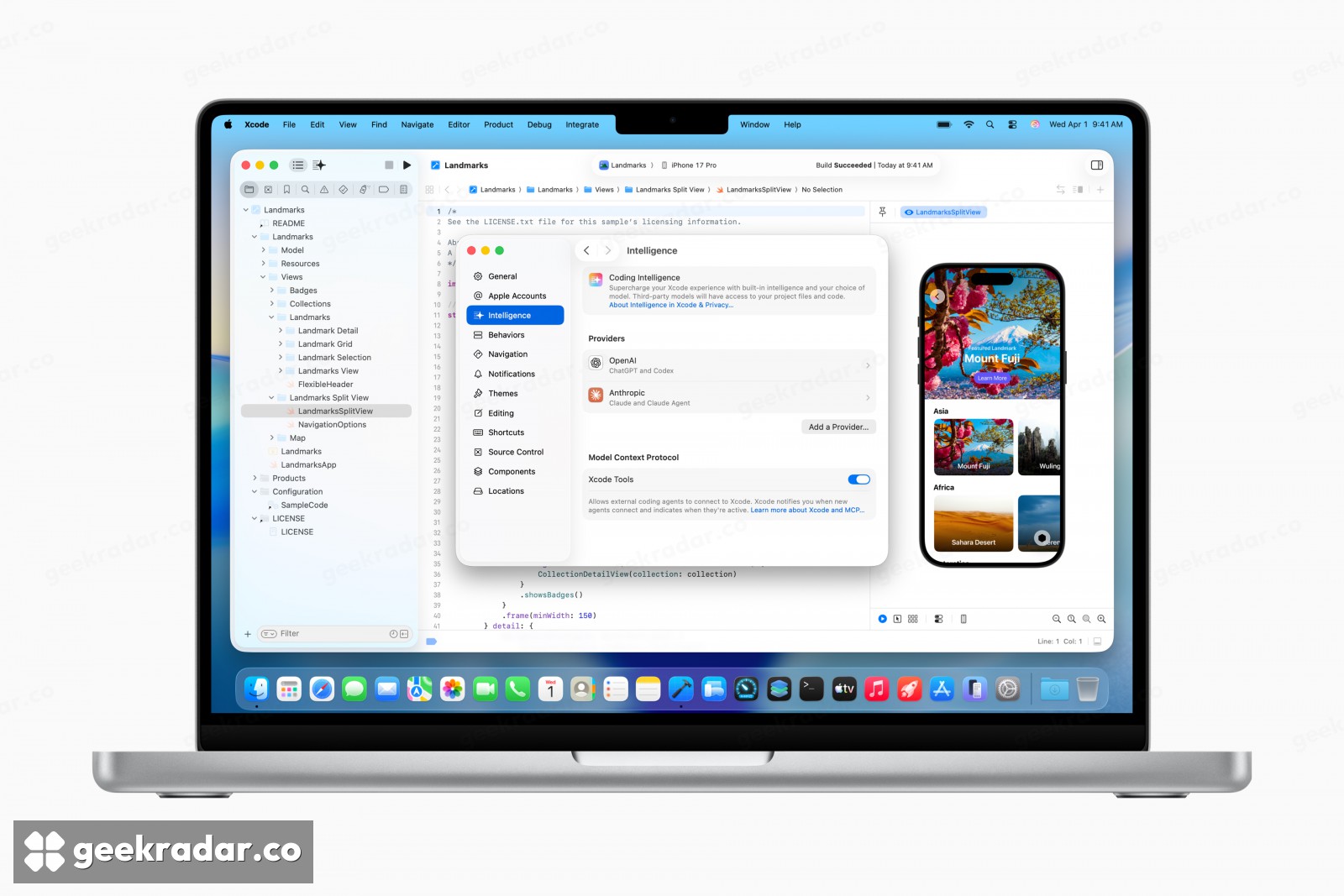
Apple has a working example with a much narrower remit. In Xcode 26.3, an agent helping a developer can look up documentation, inspect a project’s files, change settings and capture a preview of the app it is building. Consider a change to a button label. A successful build tells the agent the project still compiles. A preview gives it a chance to see that the longer label now runs off the button. Those are two different checks on the same edit.
An agent that moves between unrelated apps loses some of those advantages. Xcode knows which project is open and how to build it. A folder of receipt photos and a bookkeeping file share no such agreement. Before an agent can claim it has updated the books, it needs some way to tell that the entries in one correspond to the transactions in the other.
A receipt is a better test than a cursor
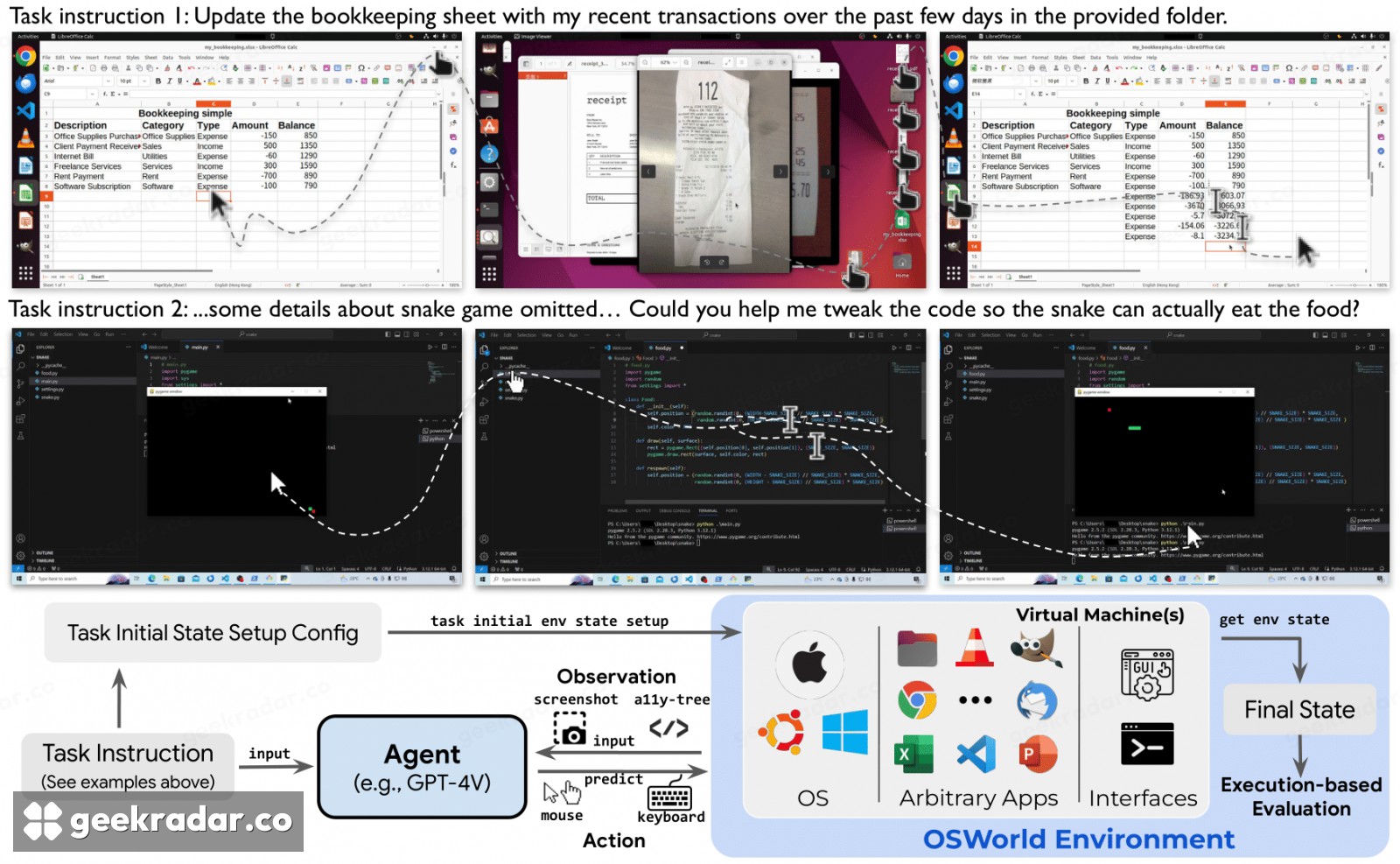
That example comes from OSWorld, an independent research benchmark. Its authors show an agent starting with a bookkeeping sheet and a folder containing recent transactions. The first and last screenshots look strikingly similar. The difference that matters sits in a few cells. OSWorld can set up the files, let the agent act, then run a check against the resulting state. A string of plausible clicks is weak evidence beside a saved sheet with the correct entries. Apple has disclosed no result for its proposed agent on this test.
Imagine the bookkeeping app closes just after a row is saved. Repeating the last step could enter the same expense twice. Reading the sheet back first gives the agent a way to recover. That is the standard a general-purpose assistant would have to meet to earn the mundane job of filing receipts: you should be able to close the laptop and trust that Tuesday’s lunch appears exactly once.