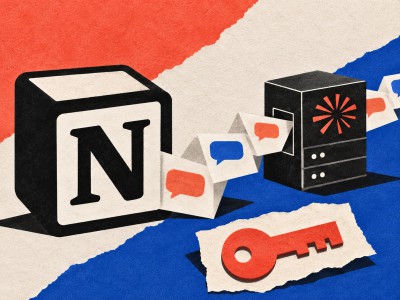
Privacy Badger reaches Safari on Mac. Here is what another blocker adds
EFF’s extension requires Safari 26.5 or later and can stop tracking widgets before they load. Browser settings and extension permissions still matter.
Privacy Badger is now available for Safari on macOS, bringing EFF’s tracker-blocking extension to a browser that already includes substantial privacy defenses. The launch requires Safari 26.5 or later. EFF says an iOS version is something it will examine after resolving issues with the Mac release, so this announcement should not be read as an iPhone launch.
The interesting part is what an additional blocker does beyond the browser’s defaults. In its announcement, EFF argues that preventing a tracker from loading can close gaps left by restrictions on the information that tracker can access. That is a specific mechanism, not a promise that installing one extension makes browsing anonymous.
Blocking a request changes what gets a chance to run
A web page can contain material supplied by several companies: a video player, a comment box or a social-media widget, for example. Loading that material can create contact with another service before the reader deliberately interacts with it. Privacy Badger can replace supported tracking widgets with a placeholder that the reader activates when needed.
That changes the default choice. The page can remain readable while the reader decides whether a particular embedded feature is worth loading. It also explains a common source of confusion: a missing widget can be the protection working, rather than evidence that the whole page is broken.
Safari itself deserves a more precise comparison than “protected” versus “unprotected.” WebKit’s Private Browsing explanation describes blocking known tracking network loads, stripping some tracking information from links and mitigating fingerprinting. It also explains how enhanced protections can be enabled in ordinary browsing. Which protections are active depends on the browser mode and settings.
Permissions are part of the installation
Apple’s Mac extension instructions distinguish downloading an extension from enabling it in Safari. They also explain how to manage website access and private-browsing permissions. That second step matters: an installed extension that cannot operate on the relevant pages is not supplying the expected protection.
EFF distributes the Mac release through the App Store. Follow the link from EFF or the Privacy Badger project to identify the intended software, then review its permissions in the browser. Italian Mac users need the same supported Safari version and Mac platform.
If a site stops working, the useful response is targeted. EFF provides a per-site disable control and a broken-site report. That allows a reader to diagnose a particular interaction without abandoning protection on every other site. It also gives the maintainers a concrete compatibility problem to investigate.
A quieter kind of control
Adding blockers indiscriminately is not a contest in how many extension icons fit in a toolbar. Overlapping tools can complicate troubleshooting, while the browser’s own settings may already address part of the problem. The sensible starting point is understanding what each layer blocks and where a deliberate exception is necessary.
In privacy coverage, the dramatic threat often gets the headline. This release is about a smaller, repeatable decision: whether an embedded service gets to participate before you ask it to. A blank space where a tracker would have loaded can be a useful feature.