Servo 0.8 can finally put captions on a video
Servo could already follow a text track. Its November demo shows the next step: making the right line visible as the video plays. Placing it on the frame is a separate challenge.
A doorbell rings offscreen and the person in the frame turns around. Watch with the sound muted and the turn looks unprompted. Two words in a caption, “[doorbell rings],” give the viewer the same clue as everyone who heard it. Servo, the open-source engine developers can use to put web content inside an app, can now draw that line over an HTML video. The project shows captions changing during playback in its November 25 progress report. The feature shipped in Servo 0.8 on November 9.
From a text file to a line on screen
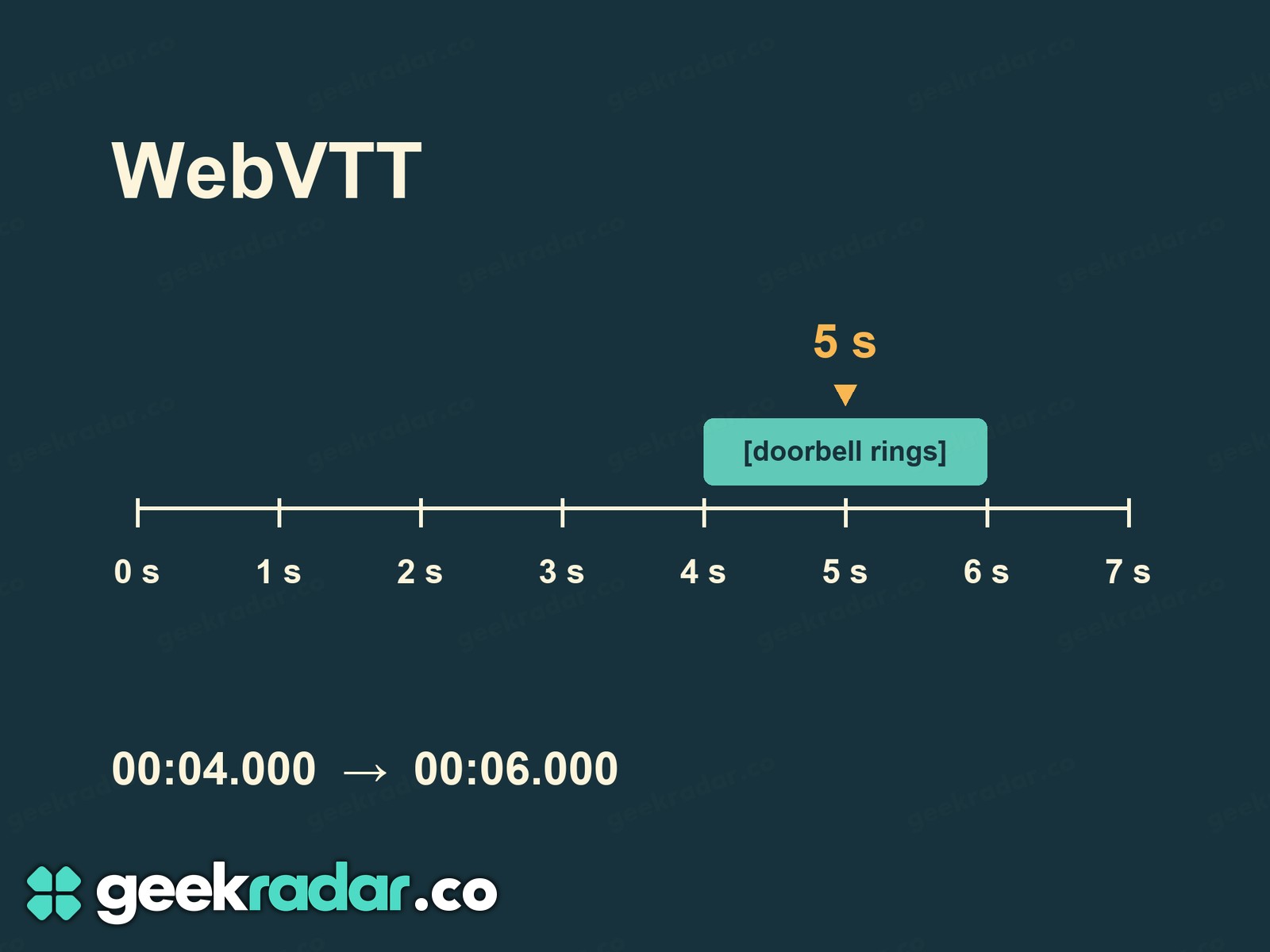
A publisher can deliver one video file and attach separate text tracks to it. Each entry in a WebVTT track, called a cue, has a start time, an end time and some text. Suppose the bell is marked from four seconds to six. A viewer who skips straight to the fifth second should see the caption immediately. A viewer who skips past the sixth should see it disappear. Neither has to watch the moment when the bell first rang.
That small jump explains why playing the video and showing its captions are distinct jobs. An engine can know which cue is active without drawing a single letter. In the change merged on October 19, Servo took the active cue’s formatted content and added it to the document for display. Earlier changes had done the work of handling the tracks. This one put their contents in front of the viewer.
The distinction between two track types matters here. In the HTML standard, subtitles can translate or transcribe dialogue for someone who can hear the scene. Captions can also identify an unseen speaker, music or a sound effect for someone who cannot hear it clearly. The site supplies those words. Selecting another language can mean loading another small text file while keeping exactly the same pictures.
The right words in the wrong place
A caption that appears on time can still cover the one thing the viewer needs to see. Imagine a tutorial with the button being demonstrated at the bottom of the frame. Add the player’s progress bar in the same spot and three things are competing for a strip of screen narrower than a finger on a phone.
Servo’s implementation discussion records a concrete version of that problem. During development, the controls occupied the video’s full height and the subtitles could end up outside the frame. The layout was changed to bring them inside. The initial patch explicitly left precise cue positioning for later work. The project’s playback demo establishes that timed text is visible. A publisher with carefully positioned captions still has reason to check those particular shots.
Browser accessibility often comes down to keeping an alternative way to follow the same material, whether it is listening to a written article in Firefox or reading the sound in a video. For the person watching that doorbell scene on mute, the important part of Servo’s change lasts about two seconds. It tells them why someone turned around.