Heroic adds Steam and itch.io. Which games can its new launcher actually open?
The first Heroic 3 beta brings two stores into the library. Steam still needs its client, and the itch.io integration on Linux can run a Windows build while passing over a native one.
A game can appear in your library and still refuse to start. Half-Life 2 is an unusually good illustration. Heroic Games Launcher can now bring Steam games into the same library as purchases from GOG, Epic and Amazon, yet Valve’s own shooter is one of the titles the developers say will not launch through the first 3.0 beta. The same release adds itch.io, where a Linux player may have better luck with the Windows download than with the Linux one. Both quirks make sense once you follow what happens after you press Play. Heroic’s release notes
Steam still has a job to do
Heroic uses a helper called Aurelia to talk to Steam. The Steam client has to be installed. If the appeal of a shared library is finding a game without remembering where you bought it, the integration delivers something tangible. If the aim is to remove Steam from your machine, the dependency settles that question. The developers also flag anti-cheat games as unlikely to work through this integration in the beta. Their warning concerns this route into a game. A failed launch from Heroic tells you little about how the same title behaves when opened directly in Steam.
The itch.io side works differently. Heroic uses Butler, itch.io’s own tool, to handle installations. On Linux the integration offers Windows builds through Wine or Proton. The developers say that native Linux uploads are packaged in too many different ways for the launcher to start them reliably, so those builds are excluded for now. A developer can support Linux and still have a game that this particular integration cannot launch. That is a separate issue from whether Proton itself can run a given game. Heroic’s itch.io implementation notes
There is a useful distinction if you already have a large download on disk. Heroic can reconnect an installation made by the itch.io app to Butler, keeping its update support. Point it at an ordinary game folder from elsewhere and it can import that folder as it stands, without taking over updates. Both routes can put a tile in the library. Only one saves you the job of finding the next version yourself.
Two different things worth backing up
A synchronized save can faithfully copy the wrong progress. Heroic adds an option to keep a local backup at each sync, with a restore control and a check to avoid storing the same state twice. It also recalculates the save path when the Wine prefix changes. A prefix is the directory that gives a Windows game its own Windows-like environment. If it moves, a launcher looking at the old address can miss a perfectly good save. The itch.io integration has no first-party cloud save service to plug into, so a new library entry there does not automatically gain cloud sync. Save handling changes
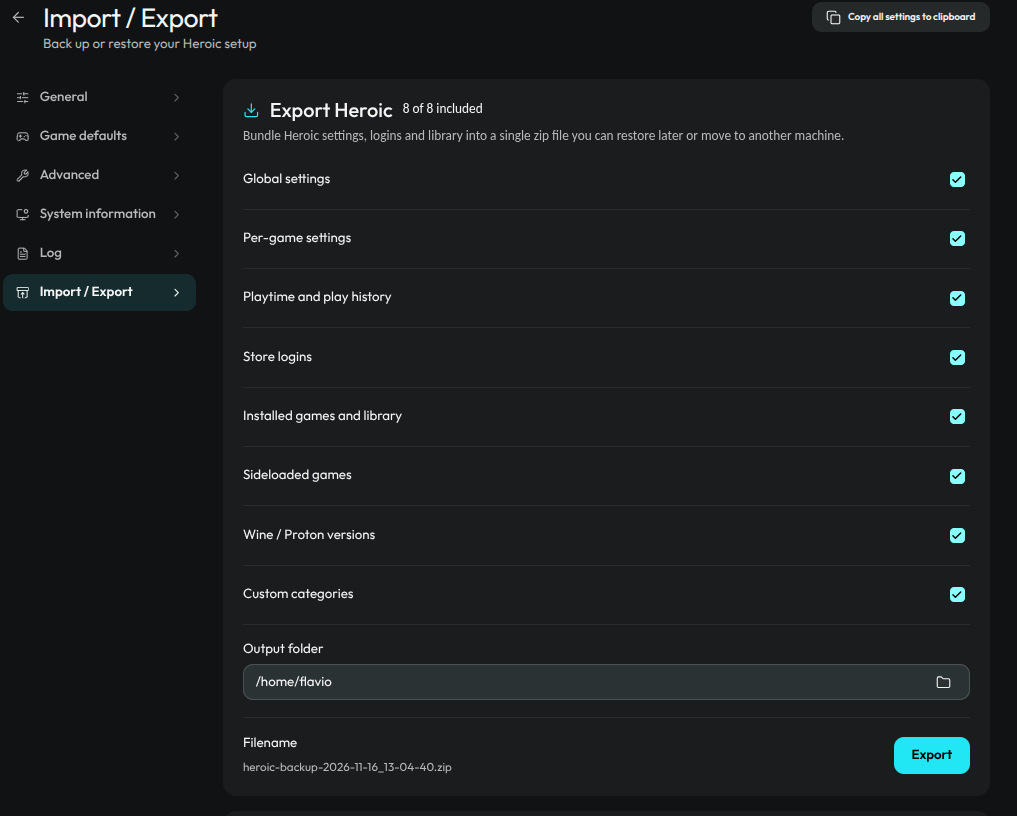
The separate backup wizard is for moving the launcher itself. It can carry over logins and per-game settings and flag paths that no longer resolve, including when moving from a Flatpak installation to another package. The export does not include complete game installations. If the only copy of a 60 GB download is on the drive you plan to wipe, an exported settings file will not bring it back.
Heroic still lists 2.22.4 as the stable release in its announcement. For someone with games scattered across shops, the beta’s most useful promise may be a modest one. You can finally look for the game in a single place. Before moving machines, check two more places while the old drive is still connected: the folder holding the game and the folder holding your last evening’s progress.